

Getting started
Mac, Windows or Linux. Give one prompt to your AI agent and it sets everything up in a few minutes. Nothing is uploaded.
Install in three steps
- 1
Copy the prompt
Your key is already in it
- 2
Paste it in your AI agent
Claude Code, Codex, Cursor…
- 3
Ask for a reel
Ready in a few minutes
Set up SkilledCut on this computer. Follow https://skilledcut.com/setup.md step by step: install it, check it and connect it to yourself. My licence key is YOUR-LICENCE-KEY.Your AI agent follows the setup steps and asks before it runs anything.
About 600 MB, a few minutes. All templates included; it connects the AI apps it finds.
What do I need to install SkilledCut?
A computer
Mac (Apple Silicon), Windows 10/11 or Linux, 64-bit
An AI agent, or none
Claude, Codex, Cursor, Copilot and more
No SkilledCut yet? See the plan. Your licence key arrives right after payment.
Exact requirements
| Minimum | Recommended | |
|---|---|---|
| macOS | macOS 13 Ventura or newer, Apple Silicon (M1 or newer) | macOS 14 or newer, 16 GB memory |
| Windows | Windows 10 (22H2) or Windows 11, 64-bit Intel or AMD | Windows 11, 16 GB memory |
| Linux | 64-bit Intel or AMD, glibc 2.28+ (Ubuntu 20.04+, Debian 11+, Fedora 36+) | Ubuntu 22.04 or newer, 16 GB memory |
| Processor and memory | 4 cores, 8 GB memory | 8 cores or more |
| Disk | 2 GB or less to install, every template included | 3 GB free for long videos |
| Internet | To install and activate, then a short licence check about once a week. Works offline for 30 days. Videos are never uploaded. | Same |
| AI agent | Optional. Any app that supports MCP: Claude, ChatGPT Codex, Cursor, VS Code with Copilot, Windsurf, Gemini CLI, Zed, LM Studio and more | An app that can show images, so it can check preview stills |
| Licence | One SkilledCut licence: 2 computers, any mix of Mac, Windows and Linux | Same |
No admin rights. Nothing else to install.
How do I install it and make my first edit?
Shown with Claude; Codex, Cursor and every other AI agent work the same way. No AI agent? Run skilledcut ui.
Claude Desktop app for creators who prefer an app.
Step 1
Install
Paste the setup prompt into the Code tab (or the install line into Terminal or PowerShell), then restart Claude and allow SkilledCut.
Step 2
Add your video
Drag it into the chat, or say “my latest video”.
Step 3
Copy a command
Pick from templates, effects, voices or workflows and ask your AI agent. It directs the edit; SkilledCut renders it.
Step 4
Get your reel
SkilledCut renders on your computer and saves the MP4 in Downloads. Add “premiere” for an editor timeline.
Terminal (Claude Code) for developers and power users.
Step 1
Install
Paste the setup prompt into Claude Code (or run your install line), restart it and check /mcp shows skilledcut.
Step 2
Add your video
Drag the file into Terminal, or name it.
Step 3
Copy a command
Pick from templates, effects, voices or workflows and ask your AI agent. It directs the edit; SkilledCut renders it.
Step 4
Get your reel
SkilledCut renders on your computer and saves the MP4 in Downloads. Add “premiere” for an editor timeline.
Claude in a web browser (claude.ai) can’t reach your files. Stuck? Troubleshooting
What should I ask for first?
Copy a command, then add your video.
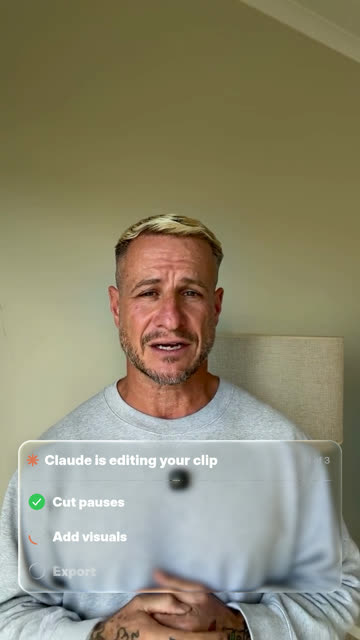
Then explore every template, effect, voice and workflow.
Next in the GuideUsing the libraryEvery command, and how to combine templates, effects, voices and workflows.FAQ
What do I need to use SkilledCut?
A Mac with Apple Silicon, a Windows 10/11 PC or a 64-bit Linux computer, with 8 GB memory and 2 GB or less of disk. An AI agent is optional: any app that supports MCP works (Claude Desktop or Claude Code, ChatGPT Codex, Cursor, VS Code with Copilot and more). AI agents in a web browser cannot reach your files.
How long does setup take?
A few minutes. Paste one prompt into your AI agent (or the install line into Terminal or PowerShell); it downloads about 600 MB, sets everything up and connects your AI agents. Restart them, then ask for your first edit.
Does SkilledCut upload my video?
No. Edits run on your computer and nothing is uploaded.
What does my AI agent do?
Your AI agent plans the edit: SkilledCut prepares your clip on your computer and drafts a plan. Your AI agent (Claude Code, Codex, Cursor, Copilot and more) picks the strongest words, the hook, the motion graphics and any voice-over. SkilledCut renders it on your computer: The template renders exactly that plan, with motion graphics kept off your face. Your video never leaves your computer. Your AI agent reviews it: Automatic checks (face visible, loudness, black or frozen frames) and stills go back to your AI agent, which fixes what it sees, up to 2 rounds. No AI agent? Quick mode edits in one go with SkilledCut's own plan, from the simple app or the command line.
What does my AI agent see?
Your AI agent sees the transcript and a few small stills so it can direct the edit. That goes to your AI agent under its own terms; SkilledCut itself uploads nothing, and your video stays on your computer.
Your next Reel is one prompt away.
One payment for every template, effect, voice and workflow, plus all upcoming templates. Pay once, use forever.