

Alternatives2 min readUpdated
Final Cut Pro alternatives for Mac and beyond
Short answer
Final Cut Pro alternatives include DaVinci Resolve for colour and a free tier, Premiere Pro for Adobe workflows and cross-platform teams, and lighter editors such as iMovie. For repeated talking-head reels, SkilledCut automates the work. Choose by platform, team and the type of video you make most.
On this page
Why look beyond Final Cut Pro?
Final Cut Pro is powerful, but it is Mac only and not everyone wants a professional timeline for short social videos. Teams on Windows need cross-platform software, while others want a simpler tool or one that automates routine edits.
Check each product's current price and platform support.
What are the main alternatives?
- DaVinci Resolve: strong colour, free version available
- Premiere Pro: widely used, integrates with Adobe tools
- iMovie: free, simpler, for Apple devices
- Shotcut and OpenShot: free open-source editors
- SkilledCut: automated talking-head reels on your Mac, Windows or Linux computer
When does automation make sense?
If most of your videos are one person speaking to camera, the time goes into cutting, captions and polish rather than creative timelines. The Rough cut workflow exports a Final Cut Pro timeline, so SkilledCut can complement it, while Layers renders finished edits. See SkilledCut vs Final Cut Pro for the comparison.
How does a SkilledCut render sit next to a Final Cut project?
Treat a rendered template as a clip. Templates deliver a 1080 by 1920 vertical video, so you can drop it into a Final Cut project as one finished element, or use Layers, which also makes 16:9, for a widescreen edit. For the opposite direction, the Rough cut workflow hands Final Cut a timeline of your cut with the pauses already removed.
A common split is to let SkilledCut make the vertical reel and keep Final Cut for the long version of the same recording.
Make it with your AI agent
Type "/layers on my podcast clip" in Claude Code, Codex or Cursor with the clip attached: final cut pro alternatives, handled on your computer. Copy more in the prompt library or see the Layers template.
Templates for this
Ask your AI agent for any of them by name. Every template is included with SkilledCut, plus all upcoming ones.
 LayersA full motion-graphics edit from one plain clip: words behind your head, plates, charts and cards./layersSee it
 WinePuts you in a wine-red studio with a glass phone card behind your head and your words popping in as you say them./wineSee it
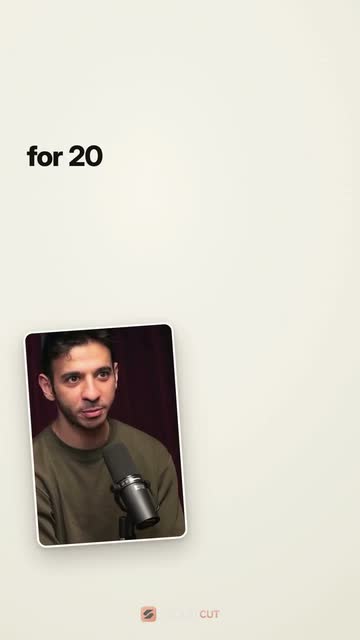 NotebookAn editorial page: you play in a photo card that glides around the page while your words type on in big black type./notebookSee it
 ExplainerTurns a talking clip into a clear lesson with gold word-by-word captions and points on screen./explainerSee it
Frequently asked questions
Short answers to what people ask before they try it.
Is DaVinci Resolve a good Final Cut alternative?
It is a common choice, with strong colour tools and a free version.
Which alternative works on Windows?
DaVinci Resolve, Premiere Pro and Shotcut run on Windows.
Can SkilledCut export to Final Cut Pro?
Yes. The rough cut exports an FCPXML timeline.
What is the cheapest alternative?
Free editors exist, but your time also has a cost.
Keep reading
Comparisons
SkilledCut vs Final Cut Pro
Final Cut Pro is Apple's pro editor for Mac. SkilledCut templates automate a designed talking-head edit with your AI agent. See where each fits.
ReadBlog
iMovie alternatives for Mac creators
What to use when iMovie feels limited: pro timelines, free options and tools that automate talking-head edits. Honest notes on each.
ReadBlog
Premiere Pro alternatives for short-form video
Six Premiere Pro alternatives compared by the job you do: DaVinci Resolve, Final Cut Pro, CapCut, Filmora, Descript and SkilledCut. Find your fit.
ReadBlog
VEED alternatives for video creators
VEED alternatives for creators: Kapwing, Canva, CapCut, Descript, Clipchamp and SkilledCut compared by job, not hype. No prices quoted.
ReadBlog
Kapwing alternatives by task
Kapwing alternatives compared by task: VEED, Canva, Clipchamp, CapCut, Descript and SkilledCut. Where each is stronger, with no quoted prices.
Read
More in the blog or all 16 templates.
Your next Reel is one prompt away.
One payment for every template, effect, voice and workflow, plus all upcoming templates. Pay once, use forever.