

4 min readUpdated
Reel hook ideas for the first 3 seconds, sorted by goal
Short answer
Good reel hook ideas pair a spoken line with a visual that lands in the first three seconds. Pick the hook by goal: a mistake or warning to stop the scroll, a number or list to promise value, a before-and-after to show a result, or a direct question to start comments. Fill the blank with your topic.
On this page
- 1How to use this list
- 2Hooks that stop the scroll: mistakes and warnings
- 3Hooks that promise value: numbers and lists
- 4Hooks that show a result: before and after
- 5Hooks that start a conversation: questions and opinions
- 6Hooks for local and service businesses
- 7Getting your AI agent to build the hook
- 8Frequently asked questions
How to use this list
Each idea below is a sentence with a blank. Put your own topic in the blank, say it as your very first line, and pair it with the visual suggested next to it. The spoken line and the visual do different jobs: the words tell people what they will get, and the motion on screen catches the eye of someone scrolling with the sound off.
Do not use all thirty. Pick the three that fit how you talk, rotate them for a month and keep the ones your audience watches past the first few seconds. If you want a method for comparing them, see how to test hooks.
Hooks that stop the scroll: mistakes and warnings
Visual match: a word slam. One big word, such as STOP or WRONG, hits behind your head on the first beat. The backdrop word effect does this on any clip, and the Bold template builds a whole 10-second reel around giant words slamming in behind you.
- "Stop doing ___ if you want ___."
- "The ___ mistake I see every week."
- "You are wasting money on ___."
- "Nobody tells beginners this about ___."
- "I did ___ wrong for three years."
- "Before you buy ___, watch this."
- "This is why your ___ is not working."
Hooks that promise value: numbers and lists
Visual match: a counter or a checklist. A numbered list that starts filling in the first second tells viewers how long they are signing up for. Try the checklist effect or a countdown, and keep the list items to two or three words each so they read in one glance.
- "3 ___ I use every single day."
- "5 signs you are ready to ___."
- "The only 2 ___ you need."
- "___ in 30 seconds."
- "I tested 4 ___ so you do not have to."
- "My ___ checklist, step by step."
- "Save this before you ___."
Hooks that show a result: before and after
Visual match: show the result first, then explain. A split screen or a quick cut to the after shot beats any amount of talking. If the result is a word or a figure, put it big behind your head with the Big Word template, which lands one keyword per beat with your head in front of it. Only show real results, never invented ones.
- "This was my ___ a month ago. This is it now."
- "Here is what changed when I stopped ___."
- "From ___ to ___ in one week."
- "Same ___, two very different results."
- "What ___ looks like when you do it right."
- "I asked my client to try ___. Here is what happened."
Hooks that start a conversation: questions and opinions
Visual match: a comment card or a hook title. A card styled like a viewer comment, such as the comment box effect, frames the question as something real people ask. Opinion hooks pair well with a short hook title across the top third, set in the safe zone so the app does not cover it.
- "Is ___ actually worth it?"
- "Unpopular opinion: ___."
- "Which would you pick, ___ or ___?"
- "Tell me if I am wrong about ___."
- "What nobody wants to admit about ___."
- "Should you ___ or ___? Here is how I decide."
Hooks for local and service businesses
Visual match: your face, close, with a short title. For service work trust beats spectacle, so a clean studio look such as Wine or a calm caption style often works better than heavy motion.
- "If you live in ___, you need to know this."
- "The question every ___ client asks me first."
- "What ___ really costs, explained simply."
- "3 things I check before every ___."
Getting your AI agent to build the hook
With SkilledCut, your AI agent picks the hook from your own words. It reads the transcript, chooses the strongest opening line, and places a hook visual in the first three seconds, then a visual change every three to six seconds. Only your words or what is visible in the clip go on screen, so the hook has to be something you actually said.
To steer it, name the hook in the prompt. For example: "/bold on my latest video. Use my line about the pricing mistake as the hook and slam the word MISTAKE behind my head." Or with any template: "Open with a checklist of the three steps I list at 0:40." More copy-ready versions are on the prompts page. If you record a better first line later, film it as a separate take and ask the agent to put it first.
Templates for this
Ask your AI agent for any of them by name. Every template is included with SkilledCut, plus all upcoming ones.
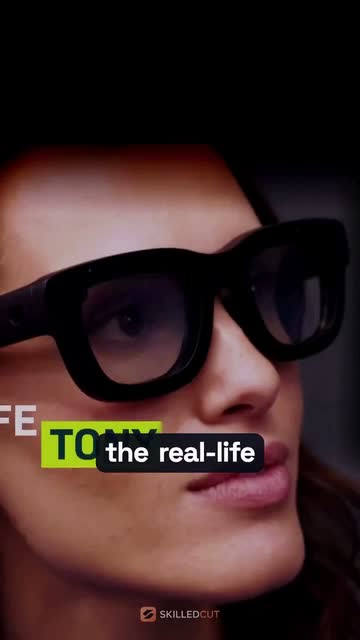 BoldA 10-second reel where giant words slam in behind you and captions pop word by word./boldSee it
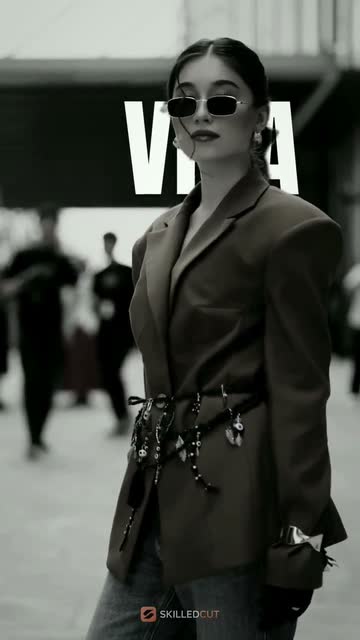 Big WordOne big keyword lands behind your head on every beat, in your own room, with tag chips flying in./big-wordSee it
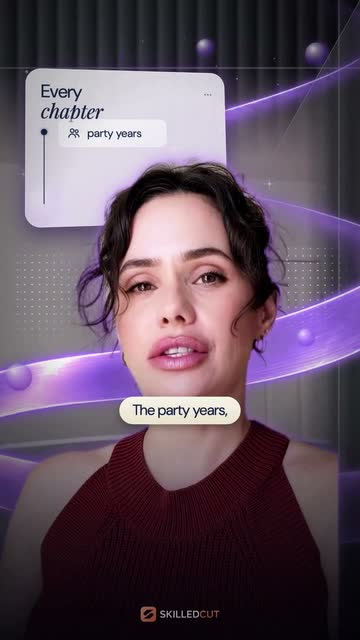 GlassA premium 10-second reel: a glass ribbon behind you, frosted cards and glass scenes cut in./glassSee it
Frequently asked questions
Short answers to what people ask before they try it.
How long should a reel hook be?
Aim for a spoken line you can say in about three seconds, roughly eight to ten words. The visual should land at the same time, not after it.
Should the hook be text or spoken?
Both. Many viewers scroll with the sound off, so the main idea of the hook should also appear on screen as a title or big word.
Can I reuse the same hook on different reels?
Yes, the format can repeat as long as the topic changes. Viewers notice a copied line more than a repeated structure.
Will the AI write a hook I never said?
No. SkilledCut's AI-directed flow only puts your own words or what is visible in the clip on screen, so record the hook you want.
What if my first sentence is weak?
Ask your agent to start the reel at a stronger line later in the clip. Cutting to the point is often a better hook than adding one.
Keep reading
Short-form growth
How to write a hook for the first 3 seconds
Write hooks that hold viewers: six hook types with examples, a test method and the mistakes that lose people in the first seconds of a short video.
ReadShort-form growth
How to test video hooks
Test hooks fairly: change one thing, use similar topics, post enough videos and compare retention. A low-tech method with no tools needed.
ReadUse cases
How to make a 10-second hook reel
Write and edit a 10-second reel that stops the scroll. A 25-word script formula and how Bold and Glass style it with your AI agent.
Read
More in the blog or all 16 templates.
Your next Reel is one prompt away.
One payment for every template, effect, voice and workflow, plus all upcoming templates. Pay once, use forever.