

4 min readUpdated
AI voice-over for reels: how to write a script a synthetic voice reads well
Short answer
An AI voice-over for reels sounds natural when the script is written for the ear: a hook line under ten words, one idea per line, contractions, numbers spelled the way they are said, and a word budget that fits the length. Choose the voice to match the visual style, keep captions on, and test one line first.
On this page
Why the script matters more than the voice
People blame the voice when an AI narration sounds flat, but the cause is usually the text. A sentence written for a blog post, with three clauses and a parenthesis, is hard for any reader, human or synthetic, to deliver with life. A sentence written to be heard, short and concrete with the important word near the end, sounds far more natural even from a modest voice.
That is good news for creators. You do not need to hunt for the perfect voice. You need to learn a handful of writing habits that suit narration over Instagram Reels, TikTok and YouTube Shorts. For the mechanics of adding the voice, picking a voice and choosing whether your original sound stays underneath, see our step-by-step AI voice-over guide. This post is about the words.
Word budgets by reel length
A comfortable narration pace is about two to three words per second. Use the lower end when the visuals are busy and the viewer needs time to look; use the higher end for a quick list.
| Reel length | Word budget | Shape |
|---|---|---|
| 7 to 10 seconds | 15 to 25 words | Hook plus one payoff line |
| 15 seconds | 30 to 45 words | Hook, two points, close |
| 30 seconds | 60 to 85 words | Hook, three points, call to action |
| 60 seconds | 120 to 170 words | Hook, story or steps, recap, call to action |
If your script is over budget, cut words rather than asking for a faster read. A rushed voice is the clearest sign of a synthetic narration.
Seven habits of a script written for the ear
- Open with the payoff. The first line plays in the first three seconds, so it should be the claim, question or result, not a greeting.
- One idea per line. Each line becomes one breath. If a line holds two ideas, split it.
- Use contractions. 'You'll' and 'it's' sound like speech; 'you will' and 'it is' sound like a contract.
- Put the key word last. 'The setting most people miss is exposure' lands harder than 'Exposure is the setting most people miss'.
- Spell sounds, not symbols. Write 'twenty percent', 'three to five' and brand names the way you want them pronounced.
- Avoid stacked numbers. Two figures in one line blur together when heard. Give each its own line.
- Read it aloud once. Anywhere you stumble, the voice will too.
A before-and-after script
Here is a typical first draft for a 15-second tip reel, followed by the version rewritten for narration. Same information, fewer words, and every line can be read in one breath.
| First draft (written to be read) | Rewrite (written to be heard) |
|---|---|
| In this video I am going to show you why your phone videos might look darker than they should. | Your phone videos look dark for one reason. |
| Most phones automatically adjust exposure based on the brightest part of the frame, which is often the window behind you. | Your phone exposes for the window behind you. |
| So the solution is to turn around so that you are facing the light source instead. | So turn around. Face the window. |
| Try it and let me know in the comments how it went. | Try it today, then show me the difference. |
Matching the voice to the visual style
SkilledCut has 25+ on-device English voices, in US and UK accents, female and male; you can hear samples on the voices page. Choosing among them is easier if you start from the look of the video rather than from the voice alone.
A calm, measured voice suits a teaching edit such as Explainer, with gold word-by-word captions and key points on screen. A brighter, quicker voice suits a punchy keyword edit such as Big Word, where one big word lands on every beat. A full motion-graphics edit like Layers can carry either, so let the topic decide. For a question-and-answer format, give each line its own voice: one asks, the other answers. It is one of the simplest ways to make narration feel produced rather than read.
Directing the voice-over with your AI agent
With SkilledCut, your AI agent directs the edit and SkilledCut does the work on your computer. You can hand over a finished script or ask the agent to tighten your draft first. A useful prompt: "Tighten this into a 15-second voice-over script, under 40 words, hook first, then add it to my clip with a calm UK female voice and keep my original sound low underneath." In Claude Code the shortcut is /voiceover, and the voice-over workflow explains the options.
Test a single line on a short clip before you voice the whole script. Fix pronunciation by changing the spelling in the script. After the render, watch with captions on and sound off, then with sound on, to make sure both versions make sense. More voice-over sentences are in the prompt library.
Templates for this
Ask your AI agent for any of them by name. Every template is included with SkilledCut, plus all upcoming ones.
 ExplainerTurns a talking clip into a clear lesson with gold word-by-word captions and points on screen./explainerSee it
 LayersA full motion-graphics edit from one plain clip: words behind your head, plates, charts and cards./layersSee it
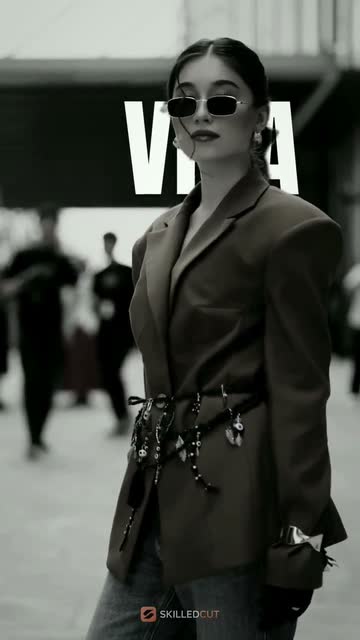 Big WordOne big keyword lands behind your head on every beat, in your own room, with tag chips flying in./big-wordSee it
Frequently asked questions
Short answers to what people ask before they try it.
How long should a voice-over script be for a 30-second reel?
About 60 to 85 words. Fewer words with clear pauses usually sound better than a full script read quickly.
How do I fix a word the AI voice mispronounces?
Change the spelling in the script to match the sound you want, for example writing a brand name phonetically, and test that line again.
Can an AI voice-over sit on top of my own talking?
Yes. Your original sound can stay underneath, turned down, or be replaced so only the voice-over plays.
Which languages do the voices speak?
English today, in US and UK accents. Write the script in English for the best result.
Should I still add captions to a voice-over reel?
Yes. Many viewers watch muted, so captions carry the script when the sound is off. The Captions workflow adds them in pop, karaoke, boxed or minimal style.
Keep reading
How-to guides
How to add an AI voice-over to a reel
Add an AI voice-over to a reel from your script: pick one of 25+ US or UK English voices, keep your sound underneath, and render on your computer.
ReadShort-form growth
How to write a short-form video script
A fast scripting method for short videos: one idea, hook, three beats and close. Includes word counts, a template and ways to sound natural on camera.
ReadShort-form growth
Faceless vs on-camera short videos
Compare faceless and on-camera video: trust, effort, privacy and editing needs. How to decide, and which SkilledCut templates need you on camera.
ReadGlossary
What is a voice-over?
A voice-over is narration recorded separately and laid over video. Learn what it is, how it is used and when to choose a synthetic voice.
Read
More in the blog or all 16 templates.
Your next Reel is one prompt away.
One payment for every template, effect, voice and workflow, plus all upcoming templates. Pay once, use forever.