


Social
iMessage notifications pop in one after another above the bottom of the frame.
Workflow · /voiceover
The Voice-over workflow reads your script aloud and lays it over your video. Type /voiceover or tell your AI agent what the voice should say. SkilledCut generates the voice on your computer with one of 25+ US or UK English voices and keeps your original sound quietly underneath, or replaces it.
In apps with slash commands:
/voiceoverIn Claude, Codex, Cursor or any AI agent, say:
Add a voice-over saying: Welcome to my kitchenType /voiceover where your AI agent has slash commands (Claude Code, for example), or say "Add a voice-over saying: Welcome to my kitchen" in Claude, Codex, Cursor or any connected agent, and give it your video.
The finished video is saved in your Downloads folder, made on your computer.
Creators who would rather not record their own voice, faceless and b-roll channels, and anyone adding narration to a product or tutorial video.
iMessage notifications pop in one after another above the bottom of the frame.
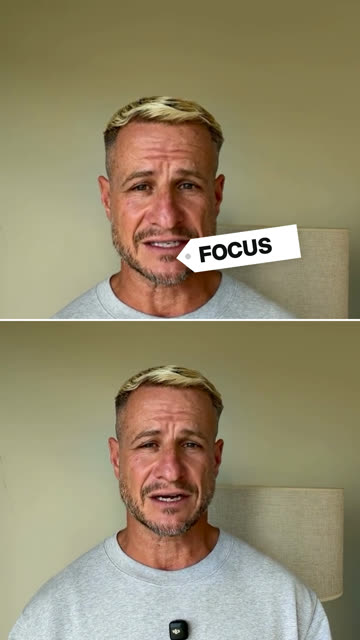
Split screen: b-roll on top with a price-tag sticker, you below.
Templates: Explainer. Other workflows: Reel, Captions, Shorts, Clean cut, Rough cut for your editor, Merge. Every command is in the Guide.
Yes. By default the original sound stays underneath, turned down well below the voice. Ask to replace it if you want the voice on its own.
Yes. Each line of the script can have its own voice, so a question and an answer can be read by different voices.
SkilledCut speeds that line up slightly, at most 1.25 times, so it ends before the next line starts.
More answers in the Guide →
One payment for every template, effect, voice and workflow, plus all upcoming templates. Pay once, use forever.