

4 min readUpdated
A short video content calendar that plans the edit, not just the topic
Short answer
A short video content calendar lists each reel's topic, pillar, hook and post date. Add one more column most calendars skip: the edit style. Matching each content pillar to a fixed template means the editing decisions are made when you plan, so recording and editing a week of Reels, TikToks and Shorts goes faster.
On this page
- 1Why plan the edit inside the calendar?
- 2Which columns does the calendar need?
- 3How do you match pillars to templates?
- 4What does a four-week sample look like?
- 5How does the calendar turn into edits?
- 6Which mistakes break a short video calendar?
- 7How do you review and adjust each month?
- 8Frequently asked questions
Why plan the edit inside the calendar?
Most content calendars stop at the idea: topic, platform, date. The edit gets decided later, usually at 11 pm the night before posting. That is where styles drift, hooks get rushed and a planned reel quietly becomes a skipped day.
Adding the edit style to the calendar moves those choices to planning time, when you are calm and can see the whole month. It also means you can record with the edit in mind: a Notebook reel wants a slightly longer, conversational answer, while a Bold reel wants one sharp sentence.
Which columns does the calendar need?
The keyword column is the quiet hero. When the edit runs, that word becomes the giant word behind your head or the highlighted caption, so deciding it early saves a step later.
| Column | What goes in it | Example |
|---|---|---|
| Date | Post day | Tue 8 Dec |
| Pillar | One of your 3-4 content themes | Teach |
| Topic | The single idea | Why your first 3 seconds matter |
| Hook line | First sentence, written out | You lose most viewers here |
| Edit style | The template for this pillar | Layers |
| Keyword | The word that goes big on screen | HOOK |
| Status | Idea, scripted, filmed, edited, scheduled | Filmed |
| Platforms | Where it goes | Reels, Shorts, TikTok |
How do you match pillars to templates?
Give each pillar one template so viewers learn to recognise the type of video at a glance. A common four-pillar set for an expert creator looks like this:
- Teach with Layers: charts, cards and plates make a lesson feel substantial.
- Conversation with Notebook: podcast and interview snippets on an editorial page with your words typing on.
- Opinion with Bold: a 10-second hook reel where giant words slam in behind you.
- Story or brand with Amber: warm serif keywords over your head for founder moments.
Two pillars and two templates is plenty for a new account. Add more only when the first two run smoothly.
What does a four-week sample look like?
Three posts a week on a fixed rhythm is a sustainable starting point. The spare slot in week 4 is deliberate: a reply-to-comment reel with the comment box effect fills it in minutes.
| Week | Mon | Wed | Fri |
|---|---|---|---|
| 1 | Teach (Layers): 3 pricing mistakes | Opinion (Bold): Stop posting daily | Conversation (Notebook): client Q&A clip |
| 2 | Teach (Layers): How I plan a launch | Story (Amber): Why I started | Opinion (Bold): Hooks beat hashtags |
| 3 | Teach (Layers): Tool stack in 60 s | Conversation (Notebook): podcast highlight | Opinion (Bold): Myth of going viral |
| 4 | Teach (Layers): Monthly review steps | Story (Amber): A failure I learned from | Spare slot: reply to a comment |
How does the calendar turn into edits?
When status reaches filmed, the calendar row already holds everything the edit needs. Paste the row into your AI agent as the prompt. For the week 1 Monday reel: "/layers on 01-pricing-mistakes.mp4, keyword PRICING, hook 'Three pricing mistakes cost me a year'". For a terminal with no agent, `skilledcut bold opinion.mp4` renders the Bold version directly.
SkilledCut drafts the plan on your computer, the agent picks the strongest words and checks the stills, and the finished 9:16 file lands in Downloads. Update the status column to edited, then scheduled. The prompt library has a ready line for every template you might assign to a pillar.
Which mistakes break a short video calendar?
- Planning every day. A calendar you cannot keep is worse than a smaller one you always hit. Start with three posts a week.
- Leaving the hook column empty. If the first sentence is not written, the reel is not really planned.
- Changing edit styles per post. The feed looks random and every edit becomes a fresh decision.
- No spare slot. Illness, travel and bad hair days happen. One banked reel per week keeps the rhythm.
- Ignoring the 9:16 safe zone. Plan where the keyword sits so captions and the big word stay clear of platform buttons.
How do you review and adjust each month?
- At month end, sort the calendar by pillar and compare saves, shares and average watch time for each.
- Keep the pillar-template pairs that perform; swap the template for a pillar that lags before you drop the pillar itself.
- Move hooks that worked into a swipe file and reuse their structure, not their words.
- Plan next month in outline only: topics and pillars. Write hook lines and keywords weekly, closer to filming.
Templates for this
Ask your AI agent for any of them by name. Every template is included with SkilledCut, plus all upcoming ones.
 LayersA full motion-graphics edit from one plain clip: words behind your head, plates, charts and cards./layersSee it
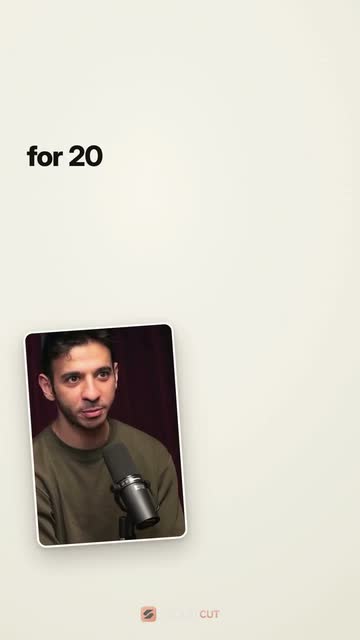 NotebookAn editorial page: you play in a photo card that glides around the page while your words type on in big black type./notebookSee it
 BoldA 10-second reel where giant words slam in behind you and captions pop word by word./boldSee it
Frequently asked questions
Short answers to what people ask before they try it.
What should a short video content calendar include?
Date, pillar, topic, hook line, edit style, on-screen keyword, status and platforms. The edit style and keyword columns save the most time later.
How far ahead should I plan short videos?
Outline a month of topics, then write hooks and keywords one week at a time so they stay fresh and can react to comments.
Should each pillar have its own edit style?
It helps. A fixed template per pillar lets viewers recognise the type of video instantly and removes editing decisions from your week.
Can I use one calendar for Reels, TikTok and Shorts?
Yes. Most talking-head reels work on all three in 9:16. Add a platforms column and note any change, such as a different caption.
What tool should I keep the calendar in?
Any spreadsheet or notes app works. What matters is that each row holds enough detail to paste straight into your editing prompt.
Keep reading
Short-form growth
How to build a content calendar for short videos
A simple calendar: pillars, a weekly batch day, scripts, filming, editing and posting. Template and tips for staying consistent without burning out.
ReadSocial media
How to plan a social media content calendar for video
Plan a month of social video: pillars, formats, dates, owners and a review loop. A calendar template and ways to keep it flexible.
ReadShort-form growth
Content pillars for short-form video
Content pillars are repeating themes that make planning simple. How to choose three to five, map ideas to each and keep variety without losing focus.
ReadBlog
How to batch edit reels in one two-hour weekly session
Batch edit reels in one weekly session: a timed plan for queueing clips, one prompt per reel, reviewing stills, fix-it follow-ups and scheduling the week.
Read
More in the blog or all 16 templates.
Your next Reel is one prompt away.
One payment for every template, effect, voice and workflow, plus all upcoming templates. Pay once, use forever.