

4 min readUpdated
Edit videos in Cursor: demo reels and launch clips from your editor
Short answer
You can edit videos in Cursor by connecting SkilledCut as an MCP server, then asking Cursor's agent in plain words, for example "make a Cobalt reel from my latest screen-and-face clip". SkilledCut renders on your computer and saves the MP4 to Downloads; Cursor plans the hook and on-screen words and checks stills before finishing.
On this page
- 1Who edits videos in Cursor, and why?
- 2Connect SkilledCut to Cursor in a few minutes
- 3Keep video files out of your repository
- 4Prompts that suit builders' videos
- 5What Cursor decides and what SkilledCut renders
- 6Tips for recording demos you will edit this way
- 7Cursor, Claude Code or Codex for video?
- 8Frequently asked questions
Who edits videos in Cursor, and why?
Cursor users are mostly people who build things: indie hackers, SaaS founders, developer advocates. They are also the people who are told to "build in public" and post a launch video, a changelog reel or a short demo on X, LinkedIn and Instagram. Switching to a timeline editor for a 30-second clip feels like a context switch they do not have time for.
With SkilledCut connected, the agent you already use for code can direct a video edit. You stay in Cursor, type a sentence in the agent panel, and a finished vertical video lands in your Downloads folder. Nothing is uploaded to a video service, which also matters when the clip shows an unreleased feature.
Connect SkilledCut to Cursor in a few minutes
If you installed from a terminal instead, run skilledcut connect --yes --agent cursor and restart. The getting started guide has the one-line install for each system if anything stops.
- Open Cursor's agent panel and paste the setup prompt from the prompt library with your licence key.
- Approve the install command it shows. It installs into your user folder without admin rights, on Mac, Windows or Linux.
- Let the agent run the doctor check and connect SkilledCut to Cursor (the connect command takes the cursor option).
- Restart Cursor, or reload its MCP servers, so the skilledcut_ tools appear in the tool list.
Keep video files out of your repository
Because Cursor opens a project folder, people sometimes drop raw footage into the repo. There is no need. SkilledCut finds videos by name or by the word latest, which means the newest file in Downloads, Desktop or Movies, and it writes finished files to Downloads. Your git history stays free of 200 MB MP4s.
If you do keep a marketing folder in the project, add it to .gitignore and refer to clips by file name in your prompt. The agent can pass any path on your computer to SkilledCut.
Ask in agent mode. A plain chat that cannot call tools can describe an edit but cannot run one.
Prompts that suit builders' videos
Founder videos tend to be one of three kinds: a face-to-camera explanation, a product walkthrough with your voice, or a launch teaser. These sentences map each to a template that fits:
| Video | Prompt to type in Cursor | Why this template |
|---|---|---|
| Launch teaser with your name | Make a Cobalt reel from launch-take3.mp4, keyword SHIPPED on the last beat | Cobalt puts a bold keyword behind you and photo cards from your own clip |
| Feature explanation | Big Word reel from my latest video, one keyword per idea | Big Word lands one word per beat with your head in front |
| Podcast or interview answer | Use Notebook on my interview clip and underline the line about churn | Notebook types your words onto a paper page |
| Changelog clip | Add boxed captions to changelog.mov and a checklist on the three fixes | Captions plus the checklist effect |
What Cursor decides and what SkilledCut renders
SkilledCut first cuts the pauses, transcribes and drafts a plan on your machine. Cursor's agent then reads the transcript and makes the creative calls: which sentence becomes the hook in the first three seconds, where a keyword pill or a stat card goes, whether a numbered chapter tag fits when you list three features. It shows you a short plan table before rendering.
After the render, automatic checks (face visible, loudness, black or frozen frames) and a few stills go back to the agent. If text crowds your face or sits under the TikTok buttons, it adjusts and renders again, up to two rounds. Only words you actually said appear on screen, so a demo reel never claims a metric you did not state.
Tips for recording demos you will edit this way
- Film vertically at 9:16 if the clip is for Reels, Shorts or TikTok; native vertical framing keeps your face large and centred.
- Say the key number or feature name clearly. The agent can only put on screen what the transcript holds.
- Leave a breath between points. Pauses get cut, and clean gaps give cleaner beats.
- Record a version with your face in it. Most templates are built around a person in frame, not a bare screen.
- Spell product names in your prompt the first time: "the product is called Tallyo".
Cursor, Claude Code or Codex for video?
The results come from the same SkilledCut install, so pick the agent you already have open. Cursor and Codex take sentence prompts. Claude Code adds slash commands. Every template, Layers and Glass included, works in all three. Many people connect two agents and use whichever is in front of them. One ₹999 plan covers every agent on your computer; see pricing.
Templates for this
Ask your AI agent for any of them by name. Every template is included with SkilledCut, plus all upcoming ones.
 CobaltA bold blue keyword behind your head on every beat, with photo cards from your clip and a bright, clean grade./cobaltSee it
 Big WordOne big keyword lands behind your head on every beat, in your own room, with tag chips flying in./big-wordSee it
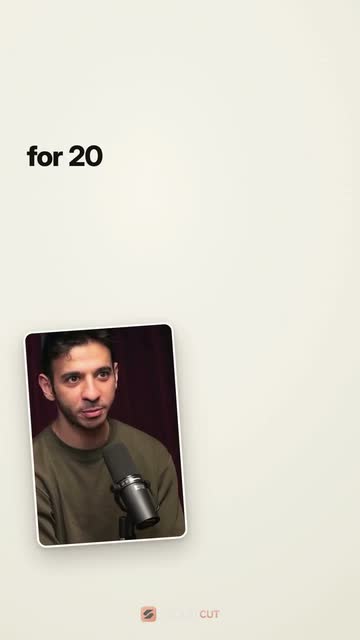 NotebookAn editorial page: you play in a photo card that glides around the page while your words type on in big black type./notebookSee it
Frequently asked questions
Short answers to what people ask before they try it.
Does Cursor need a special plan to edit videos?
You need a Cursor setup that allows agent mode with MCP tools. The video work itself runs in SkilledCut on your computer.
Can I drag a video into Cursor's chat?
You do not need to. Name the file, give its path, or say latest and SkilledCut finds the newest video in Downloads, Desktop or Movies.
Will the edit include screen recordings?
SkilledCut edits the clip you give it. If your recording shows the screen and your face, both stay in the video, with graphics kept off your face.
Can I use slash commands in Cursor?
Use sentences in Cursor. The same requests that are slash commands elsewhere, such as /cobalt, work as a sentence like "make a Cobalt reel from my latest video".
Keep reading
Blog
AI video editing with Codex: connect it, prompt it, review it
Use OpenAI Codex as the director of your video edits: connect SkilledCut, write sentence prompts instead of slash commands, and check the result.
ReadBlog
How to edit videos with Claude Code, from first prompt to finished reel
Follow one real Claude Code session from install to posted reel: the setup prompt, slash commands, reading the plan, review rounds and batching clips.
ReadSoftware and AI tools
What is MCP, and why does it matter for video creators?
The Model Context Protocol lets an AI agent like Claude use tools on your computer. What that means for editing video without leaving a chat.
ReadHow-to guides
How to make a product demo video
A demo video should show the problem, the product solving it and one next step. Structure, length, screen vs face and how to keep it clear.
ReadPlatform guides
YouTube Shorts editing guide
How to edit for YouTube Shorts: vertical 9:16, hooks, captions, pacing and exporting, plus which SkilledCut template fits. Check YouTube for limits.
Read
More in the blog or all 16 templates.
Your next Reel is one prompt away.
One payment for every template, effect, voice and workflow, plus all upcoming templates. Pay once, use forever.