

4 min readUpdated
AI video editing with Codex: connect it, prompt it, review it
Short answer
Codex can direct real video edits once SkilledCut is connected to it. Ask Codex to follow skilledcut.com/setup.md with your licence key, restart it, then describe the edit in a sentence such as "make a Wine reel from my latest video". SkilledCut renders on your computer while Codex chooses the hook, words and graphics and reviews stills.
On this page
Why use Codex for video editing at all?
Codex is best known as a coding agent, but what makes it useful here is simpler: it can run commands on your computer and call tools that speak MCP. That means it can hand a video to an editor that lives on your machine, read what comes back, and decide what to do next. If you already pay for ChatGPT and keep Codex open all day, you do not need a second AI subscription to direct your edits.
The split of work is clear. SkilledCut does the heavy lifting: it cuts pauses, transcribes, renders templates, captions and effects, and saves the MP4. Codex acts as the director: it picks the strongest line for the hook, decides where a keyword pill or a quote card belongs, and looks at the result before it calls the job done.
How do you connect SkilledCut to Codex?
The fastest route is to let Codex install it. Paste the setup prompt from the prompt library, which tells Codex to follow skilledcut.com/setup.md with your licence key. Codex shows the single install command, runs it when you approve, runs a doctor check and connects SkilledCut to itself with the codex option. If SkilledCut was already installed from a terminal, one line does the connection: skilledcut connect --yes --agent codex.
Restart Codex afterwards. New MCP tools only load at start, and once they do you will see tools whose names begin with skilledcut_. The getting started guide covers the same steps for Windows PowerShell and Linux.
ChatGPT in a browser cannot reach your files, so it cannot install or edit. Use the Codex app or Codex in a terminal.
Codex has no SkilledCut slash commands, so write sentences
In Claude Code you would type /wine. In Codex you paste or type the sentence that the command stands for. That is not a downgrade; a good sentence carries more direction than a bare command. The pattern that works is: template or workflow, which file, then one or two things you care about.
Here are prompts written the way Codex handles them best:
- "Make a Wine reel from my latest video. Put my key words in the glass phone card and end on the word focus."
- "Use the Notebook template on interview-ep12.mp4. Underline the idea about pricing."
- "Make a Throwback reel from the newest clip on my Desktop, 15 seconds, starting at the line about my first shop."
- "Add karaoke captions to podcast.mov and keep the original pauses."
- "Make three YouTube Shorts from my long video, each with a hook title."
Which templates should Codex users start with?
The templates that run as a single tool call work the same in every agent. Three good first picks:
Layers, Explainer, Glass and Bold work from Codex like every other template: Codex plans the edit, SkilledCut renders it and Codex reviews the stills. Effects, captions and voice-over can be added to any video afterwards.
| Template | Good for | Example sentence for Codex |
|---|---|---|
| Wine | Talking-head reels with a studio feel | Make a Wine reel from my latest video |
| Notebook | Podcast and interview explainers | Use Notebook on my podcast answer |
| Throwback | Retro poster reels that change every line | Turn this clip into a Throwback reel |
| Big Word | One keyword behind your head per beat | Big Word reel from my street-style clip |
What happens between your prompt and the MP4?
Codex may ask for permission before running commands, depending on how you set its approval mode. Approving the SkilledCut tool calls is enough; it never needs admin rights.
- Codex finds the video. If several files match, it asks once which one you mean.
- SkilledCut cuts dead air, transcribes and drafts a plan on your computer.
- Codex reads the transcript, improves the plan and shows you a short table of times, visuals and on-screen words.
- SkilledCut renders the template exactly as planned, keeping graphics off your face.
- Automatic checks for face visibility, loudness and black or frozen frames, plus a few stills, go back to Codex, which can fix and re-render up to two times.
- The finished vertical 9:16 file lands in Downloads with a short quality report.
How to get better edits out of Codex
Everything on screen comes from your own words or what is visible in the clip, so Codex cannot slip in invented numbers or claims. If a stat card is missing, it is usually because you never said a number.
- Say the platform. "For TikTok" or "for Instagram Reels" helps Codex judge the length and the hook.
- Give spellings for names and brands up front, so captions and keywords come out right the first time.
- Ask for the plan first when the clip matters: "show me the plan, do not render yet".
- Keep follow-ups short and specific: "move the quote card to 0:12" beats "make it better".
- If Codex picks a weak hook, quote the line you want: "open with: nobody tells you this about pricing".
Templates for this
Ask your AI agent for any of them by name. Every template is included with SkilledCut, plus all upcoming ones.
 WinePuts you in a wine-red studio with a glass phone card behind your head and your words popping in as you say them./wineSee it
 NotebookAn editorial page: you play in a photo card that glides around the page while your words type on in big black type./notebookSee it
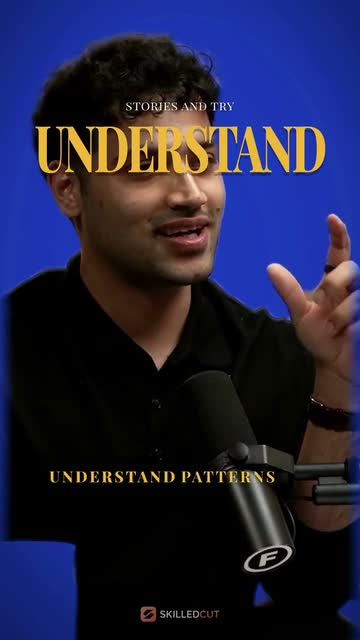 ThrowbackYou cut out over bold retro posters that change on every line, with tall vintage headlines from your own words./throwbackSee it
Frequently asked questions
Short answers to what people ask before they try it.
Can Codex edit videos without SkilledCut?
Codex can write ffmpeg commands for trims and conversions, but it has no templates, motion graphics or review checks of its own. SkilledCut supplies the editor; Codex directs it.
Does my video go to OpenAI?
The video stays on your computer and SkilledCut uploads nothing. Codex sees the transcript and a few small stills to direct the edit, under OpenAI's terms.
Why can't I type /wine in Codex?
SkilledCut's slash commands are registered in Claude Code, Claude Desktop, VS Code Copilot and Gemini CLI. In Codex you paste the sentence instead, which works the same way.
Does it work on Windows?
Yes. SkilledCut runs on Windows 10 and 11, Apple Silicon Macs and 64-bit Linux. Float Ad and Lookbook are Mac only for now.
What does it cost?
SkilledCut is a one-time ₹999 plan with new templates every month included. Your Codex access comes from your own OpenAI plan.
Keep reading
Software and AI tools
What is an AI video agent, and is it different from an AI editor?
An agent plans and uses tools to finish a task; an AI editor applies preset features. What that means for how you work with video.
ReadSoftware and AI tools
What is MCP, and why does it matter for video creators?
The Model Context Protocol lets an AI agent like Claude use tools on your computer. What that means for editing video without leaving a chat.
ReadBlog
SkilledCut workflows explained: what each one does and when to run it
The six SkilledCut workflows in plain words: reel, captions, shorts, voice-over, clean cut and rough cut, and which to run first on a new recording.
ReadPlatform guides
Instagram Reels editing guide
How to edit for Instagram Reels: vertical 9:16, safe zones, captions, hooks and pacing, and which SkilledCut template fits. Check Instagram for limits.
Read
More in the blog or all 16 templates.
Your next Reel is one prompt away.
One payment for every template, effect, voice and workflow, plus all upcoming templates. Pay once, use forever.