

5 min readUpdated
How AI video templates work: from raw clip to finished reel
Short answer
AI video templates work in stages: the clip is transcribed word by word, pauses and retakes are cut, the speech is split into beats, the strongest words are chosen for graphics, the speaker may be cut out of the background, motion graphics are built from code and rendered, then automatic checks and stills catch mistakes before you see it.
On this page
What is an AI video template, exactly?
A classic video template is a fixed project file: placeholders for clips and text, with timing baked in. You drop your footage into slot one and your title into slot two, and the template does not care what you said. An AI video template is closer to a recipe with a cook attached. It has a fixed look, such as a wine-red studio or a cream paper page, but the timing, the words on screen and the order of the graphics are decided from your own clip every time.
That is why two people can run the same template and get videos that feel made for them. The look stays constant; the edit is new. Below is what happens in between, using SkilledCut's templates as the worked example.
Stage 1: listening to the clip
Everything starts with a transcript that has a timestamp for every word. This is the backbone of the edit: captions, keyword graphics, cuts and sound effects are all placed by those timings. On SkilledCut the speech recognition runs on your computer, so the clip is not uploaded. How that recognition works, and why names and numbers sometimes need a second look, is covered in how AI captions work.
Stage 2: cutting and planning the beats
Next the editor removes what a human editor would: long pauses, filler sounds and repeated takes, keeping the last clean version of a line. Then it divides what is left into beats, short units of one idea each, usually three to six seconds long in a reel. Each beat is a slot where the template can change something on screen.
Here the AI agent does its part. SkilledCut drafts a plan on your computer, and your AI agent, such as Claude, Codex or Cursor, reads the transcript and decides which word in each beat deserves the graphic, which line becomes the hook in the first three seconds, and whether a beat suits a card, a chart or a big word. Only your spoken words, or what is visible in the clip, go on screen.
| Decision | Made by | Based on |
|---|---|---|
| Where pauses and retakes are | SkilledCut | Word timings and silence |
| Which line is the hook | Your AI agent | The transcript and the template's rules |
| Which word gets the graphic | Your AI agent | Meaning and emphasis in each beat |
| Exact frame of each graphic | SkilledCut | The word's timestamp |
| The look: colours, type, motion | The template | Fixed design |
Stage 3: separating you from the room
Many modern templates put text behind the speaker, so the head sits in front of the word. That needs a cut-out: a mask of the person for every frame, made without a green screen. With the mask, a template can darken or replace the background, as Wine does with its studio, or slip a word between you and the wall, as Big Word does. Other templates skip this step: Notebook places your whole clip in a photo card that glides around a paper page.
Stage 4: building the motion graphics
With the plan and the mask ready, the template builds its graphics. On SkilledCut these are made with HyperFrames, which describes each frame in code, much like a web page, and renders it to video. Because the graphics are code rather than a fixed animation, the same template can stretch a card to fit a long word, start a counter on the exact syllable, or repeat its sequence for a longer clip.
The menu of graphics depends on the template: hook titles, kinetic headlines, giant counters, stat cards, keyword pills, quote cards, word slams, doodles and more. Layers uses the widest set, with plates, charts, cards and 3D page fly-throughs. Glass uses a narrow, fixed sequence of glass ribbon, frosted cards and abstract glass scenes, with its sound effects and camera shakes timed to it.
Stage 5: checking the render
The last stage is the one most people never see. After rendering, automatic checks look for problems that are easy to miss: whether the face is visible, whether loudness is sensible, and whether there are black or frozen frames. Stills from the video go back to the AI agent, which looks at them and fixes what it sees, for example text overlapping a face, for up to two review rounds. Then the finished MP4 lands in your Downloads folder with a short quality report.
- Transcribe every word with its timing.
- Cut pauses, fillers and retakes.
- Split into beats and choose the hook and key words.
- Cut the speaker out of the background where the template needs it.
- Build motion graphics in code and render.
- Run checks, review stills, fix and re-render if needed.
What this means when you use one
Knowing the stages tells you where your input matters. A clean recording helps stages one and three. A clear first sentence helps the hook. And because the agent picks the words, you can steer it in plain English: "/glass on my latest video, use 'consistency' as the key word" or "/notebook on this interview clip, highlight the line about hiring". Copy-ready prompts for every template are in the prompt library, and all thirteen styles are compared in our templates guide.
Templates for this
Ask your AI agent for any of them by name. Every template is included with SkilledCut, plus all upcoming ones.
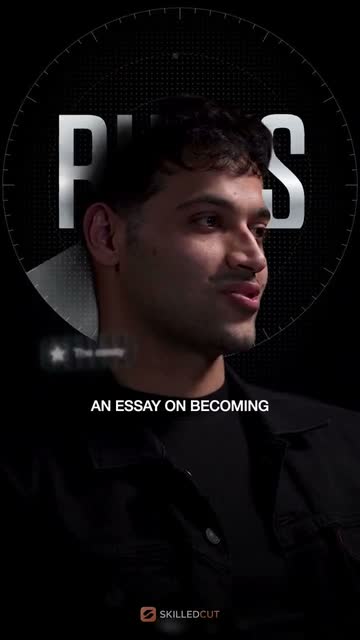 LayersA full motion-graphics edit from one plain clip: words behind your head, plates, charts and cards./layersSee it
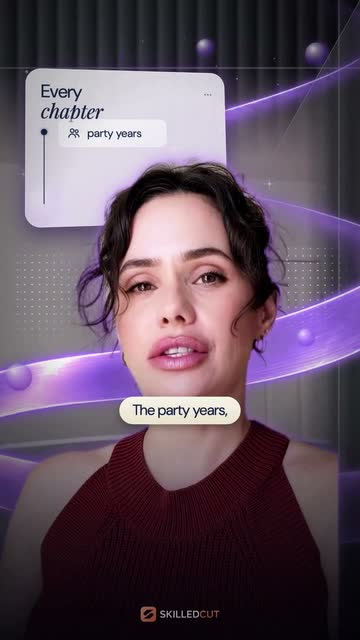 GlassA premium 10-second reel: a glass ribbon behind you, frosted cards and glass scenes cut in./glassSee it
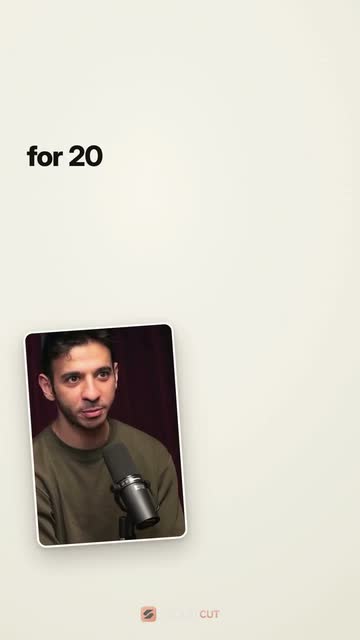 NotebookAn editorial page: you play in a photo card that glides around the page while your words type on in big black type./notebookSee it
Frequently asked questions
Short answers to what people ask before they try it.
Do AI video templates generate new footage?
SkilledCut's templates edit your real footage and photos. They add graphics, type and grades around you; they do not generate a new person.
Why does the same template look different on two clips?
The look is fixed, but the cuts, beats and words on screen are decided from each clip's transcript, so every edit follows its own speech.
Can I change which word is highlighted?
Yes. Tell your AI agent which word or line to use and it re-plans and re-renders that beat.
Does the template need a green screen?
No. Templates that put text behind you cut you out of your own background automatically. A clear edge between you and the wall helps.
Where does the processing happen?
On your own computer. Transcription, cut-outs and rendering run locally, and nothing is uploaded.
Keep reading
Software and AI tools
What is an AI video agent, and is it different from an AI editor?
An agent plans and uses tools to finish a task; an AI editor applies preset features. What that means for how you work with video.
ReadSoftware and AI tools
How AI captions work, from speech to on-screen words
Speech recognition, word timing, line breaking and styling: the stages behind automatic captions and where mistakes creep in.
ReadSoftware and AI tools
How AI removes filler words and pauses from video
Transcribe, find the fillers and gaps, cut at word boundaries and smooth the joins: how automatic cleanup works and what to check afterwards.
ReadBlog
SkilledCut's {{count}} templates compared: which one for which video
Wine, Plum, Amber, Cobalt, Big Word, Notebook, Throwback, Float Ad, Lookbook and more: what each template does and which video it suits.
ReadBlog
Video editing for non-editors: direct the edit instead of learning the software
You do not need to learn a timeline to post good videos. How non-editors direct an edit: ten words to know, what to film, ask for and check.
Read
More in the blog or all 16 templates.
Your next Reel is one prompt away.
One payment for every template, effect, voice and workflow, plus all upcoming templates. Pay once, use forever.