

5 min readUpdated
Kinetic typography for reels: how to make words move with your voice
Short answer
Kinetic typography for reels means animating the words you say so they land on screen at the moment you speak them. Good kinetic type picks one word per beat, times it to the syllable, keeps it inside the 9:16 safe zone and moves it with purpose: slam, type on, pop or slide, never all four at once.
On this page
- 1What is kinetic typography, and how is it different from captions?
- 2The four moves that cover most reels
- 3How do you time words to speech?
- 4Weight, size and where the word sits
- 5Which SkilledCut templates animate type for you?
- 6How do you ask for it?
- 7Common mistakes with kinetic type
- 8Frequently asked questions
What is kinetic typography, and how is it different from captions?
Captions transcribe. Kinetic typography performs. A caption track shows every word so a viewer with the sound off can follow along; kinetic type picks the few words that carry the idea and gives them motion, size and position so they feel like part of the delivery. In a talking-head reel the two often sit together: small captions near the bottom, and one big animated word higher up on the beat that matters.
The term comes from film title design and lyric videos, where whole sentences fly, stretch and stack. On Instagram Reels, TikTok and YouTube Shorts it has become simpler and faster: a word slams in behind the speaker, a headline types itself out, a number pops and settles. The craft is in choosing which word moves and exactly when.
The four moves that cover most reels
You do not need a library of fifty animations. Most strong kinetic type in short-form video uses one of four moves, and each one says something different to the viewer.
| Move | What it feels like | Use it for |
|---|---|---|
| Slam | Heavy, sudden, final | The single word your hook depends on |
| Type on | Thoughtful, step by step | Explainers, quotes and lessons |
| Pop | Light, quick, friendly | Word-by-word captions and lists |
| Slide or push | Calm, editorial | Headlines that frame the next point |
Pick one move as the default for a video and use a second only for emphasis. Mixing all four in fifteen seconds reads as noise.
How do you time words to speech?
The rule is simple: the word should appear on the first syllable of the spoken word, not before and not a beat later. Text that arrives early spoils the line; text that arrives late looks like a mistake. Editors working by hand scrub the waveform frame by frame to find that syllable. An AI editor reads the timestamp of each word from the transcript, which is why kinetic type has become practical for creators who post several reels a week.
Hold time matters as much as entry time. A single big word needs roughly as long on screen as it takes to say the phrase around it, then it should leave or shrink before the next beat. If two big words would overlap, drop one. Viewers can read one large word at a glance; two compete.
- Enter on the first syllable of the spoken word.
- Hold for the length of the phrase, not a fixed number of seconds.
- Leave before the next big word arrives.
- Put the sound effect, if any, on the same frame as the entry.
Weight, size and where the word sits
Kinetic type works when the moving word is clearly heavier than everything else on screen. That usually means a bold condensed face or a large serif at a size that fills a third of the frame width or more, with captions kept small and quiet. Contrast does the rest: light type on a dark grade, or a single accent colour on one word.
Placement is a 9:16 question. The bottom of the frame is covered by the caption, handle and buttons on every platform, and the right edge carries the like and share column. Keep moving type in the upper middle of the frame, above or behind the head. The caption safe zone guide shows the areas to avoid. Putting the word behind the speaker, with the head in front of it, is a popular way to keep it big without covering the face.
Which SkilledCut templates animate type for you?
Several templates are built around kinetic typography, each with a different personality. They all take the words from your own speech, so nothing appears on screen that you did not say.
- Bold: giant blue words slam in behind your head and keep drifting, while captions pop word by word with a highlight block on the key word.
- Throwback: tall condensed golden headlines over retro poster backdrops that change on every line.
- Notebook: your words type on in big black type on a cream page, with a serif-italic accent word and marker highlights.
- Big Word: one big keyword per beat behind your head, with a small lead line above it.
- Explainer: gold word-by-word captions with a title and key points on screen.
How do you ask for it?
Drag your clip into your AI agent and name the template. In Claude Code or the Code tab of Claude Desktop you can type "/bold on my latest video" and SkilledCut drafts a plan, the agent picks the strongest word for each beat, and the render runs on your computer. To add one moving word to any finished video, use a single effect instead: type "/effects backdrop-word" and add "put the word FOCUS behind my head at 3 seconds", or try the Backdrop word and Red collage effects, which add kinetic type beside you.
More copy-ready sentences for each template live in the prompt library. If a word lands on a weak beat, reply with the change in plain English, for example "move the big word from 'really' to 'compound'", and the agent re-renders.
Common mistakes with kinetic type
Watch the finished reel once with the sound off. If the moving words alone tell you the idea, the kinetic typography is doing its job.
- Animating every word. Captions already show every word; kinetic type is for the few that matter.
- Using a different font for each beat. One display face plus one caption face is enough.
- Placing text over the mouth or eyes. Viewers watch faces first.
- Long phrases in large type. If it needs more than four words, it belongs in a caption or a card.
- Ignoring the sound. A word that slams in silence feels weaker than one with a short hit under it.
Templates for this
Ask your AI agent for any of them by name. Every template is included with SkilledCut, plus all upcoming ones.
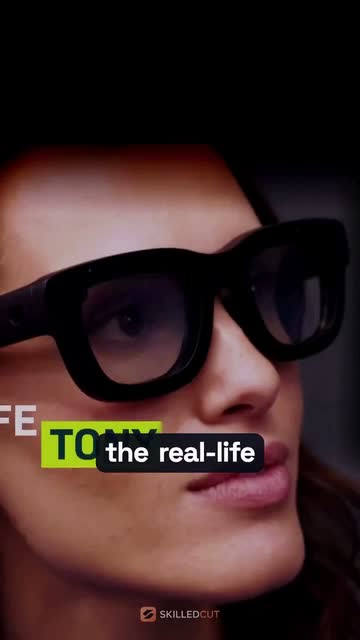 BoldA 10-second reel where giant words slam in behind you and captions pop word by word./boldSee it
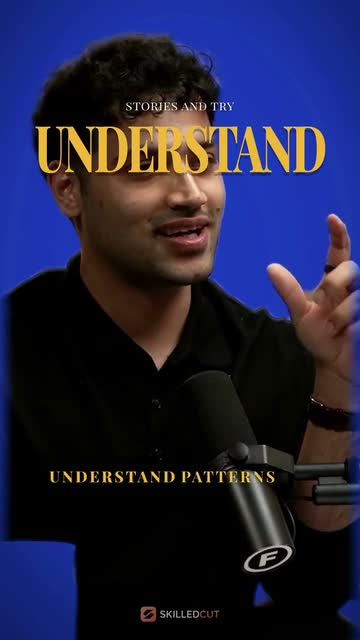 ThrowbackYou cut out over bold retro posters that change on every line, with tall vintage headlines from your own words./throwbackSee it
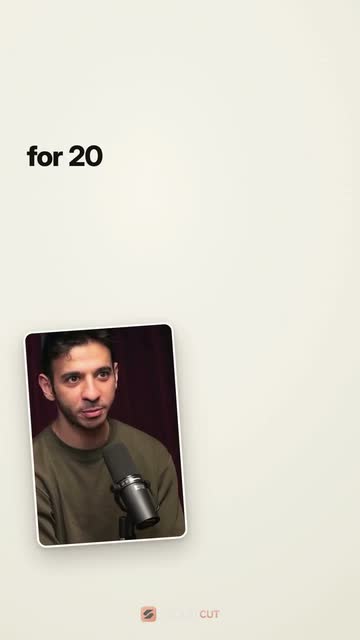 NotebookAn editorial page: you play in a photo card that glides around the page while your words type on in big black type./notebookSee it
Frequently asked questions
Short answers to what people ask before they try it.
Is kinetic typography the same as animated captions?
Not quite. Animated captions show every spoken word with a simple motion. Kinetic typography picks a few key words and gives them size, movement and position as part of the design.
How many animated words should a 15-second reel have?
Usually three to five big words, one per beat, alongside a normal caption track. More than that and the eye stops knowing where to look.
Do I need After Effects to make kinetic type?
No. A template that reads word timings from your transcript, such as Bold, Throwback or Notebook, animates the type for you on your own computer.
Can the text say something I did not say?
SkilledCut only puts your own spoken words, or what is visible in the clip, on screen. For music-only clips some templates, like Amber and Cobalt, take lines you type.
Which fonts work best for kinetic type on Reels?
Bold condensed sans faces and large serifs both read well on a phone. Choose one display face and keep captions in a plainer face.
Keep reading
Short-form growth
How to use on-screen text in short videos
On-screen text should add, not repeat. Learn where to place it, how large to make it, how long to hold it and when captions and titles do different jobs.
ReadHow-to guides
How to choose fonts for video captions
Readable caption fonts for vertical video: weight, size, outline and spacing, and why one font family across a series builds recognition.
ReadGlossary
What is motion graphics?
Motion graphics are animated graphic elements such as text, shapes and charts. Definition, uses in talking videos and tools that create them.
Read
More in the blog or all 16 templates.
Your next Reel is one prompt away.
One payment for every template, effect, voice and workflow, plus all upcoming templates. Pay once, use forever.