

Roundups2 min readUpdated
Best caption tools for short videos
Short answer
A good caption tool transcribes accurately, lets you fix errors fast, offers readable word-by-word styles, places text inside safe zones and exports burned-in captions. Options include in-editor tools, mobile apps, online services and SkilledCut's Captions workflow. Always proofread names and brand words.
On this page
What matters when comparing?
- Accuracy on your accent, names and jargon
- Easy editing of mistakes
- Styles that stay readable on busy footage
- Safe-zone placement away from platform buttons
- Export of burned-in captions and subtitle files
- Processing location: on your computer or in the cloud
What types of tool exist?
| Type | Example use | Watch out for |
|---|---|---|
| Editor built-in | Captions inside a timeline editor | Manual styling |
| Mobile app | Quick captions on your phone | Free-tier limits |
| Online service | Browser captions and templates | Upload of your video |
| Local automation | SkilledCut's Captions workflow on your computer | Needs a Mac, Windows or Linux computer |
As of November 2026. Check vendors for current features.
What does SkilledCut offer?
The Captions workflow adds pop, karaoke, boxed or minimal captions, placed away from your face and inside the safe area, with an optional hook title. The Explainer template uses gold word-by-word captions. Read our proofreading guide before posting.
Which caption looks come built into the templates?
Besides the four caption styles of the Captions workflow, several templates carry their own type treatment, so the captions match the rest of the edit. Explainer sets gold words on a dark pill. Bold pops each word in with a highlight on the one that matters. Notebook types your words onto a paper page in big black type with one serif accent word. Throwback uses small-caps serif captions under tall poster headlines.
If you want a headline instead of a caption on a single line, the text effects do that on a sentence: the headline box punches in with a two-line title, and the backdrop word drops one giant word behind you.
Make it with your AI agent
Type "/explainer on my interview clip" in Claude Code, Codex or Cursor with the clip attached: best caption tools for short videos, handled on your computer. Copy more in the prompt library or see the Explainer template.
Templates for this
Ask your AI agent for any of them by name. Every template is included with SkilledCut, plus all upcoming ones.
 ExplainerTurns a talking clip into a clear lesson with gold word-by-word captions and points on screen./explainerSee it
 BoldA 10-second reel where giant words slam in behind you and captions pop word by word./boldSee it
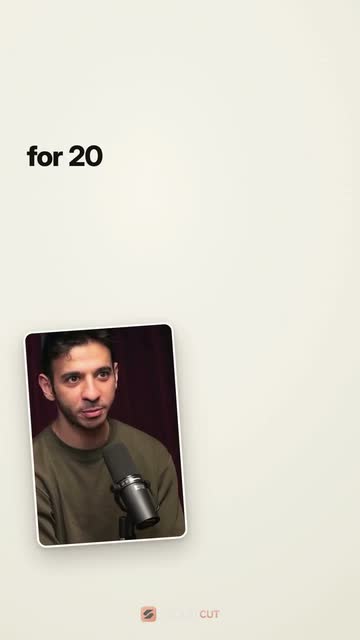 NotebookAn editorial page: you play in a photo card that glides around the page while your words type on in big black type./notebookSee it
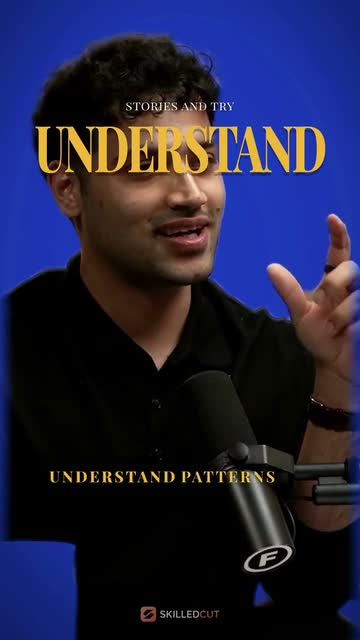 ThrowbackYou cut out over bold retro posters that change on every line, with tall vintage headlines from your own words./throwbackSee it
Frequently asked questions
Short answers to what people ask before they try it.
Are automatic captions accurate?
Often, but names, jargon and accents can cause mistakes. Always proofread.
Do I need burned-in captions?
They work on every platform, while separate subtitle files give viewers a choice.
Do caption tools upload my video?
Some do. Check the privacy policy of any tool.
How many words per line?
Keep lines short so they are readable at a glance.
Keep reading
Blog
Best AI tools for turning podcasts into clips
What to compare in a podcast-clipping tool: moment selection, reframing, captions, control and where the processing happens.
ReadShort-form growth
Storytelling in short videos
Tell a story in a short video with a setup, tension and payoff. How to pick a single moment, cut the rest and keep each beat visible.
ReadShort-form growth
How to end a short video
Endings matter: how to close a short video with a loop, a single call to action or a clean cut, and what to avoid so people watch to the end.
ReadBlog
Best free video editors for beginners
Free tools to start editing without paying: what each offers, its limits and when to move to something paid or automated.
ReadBlog
Premiere Pro alternatives for short-form video
Six Premiere Pro alternatives compared by the job you do: DaVinci Resolve, Final Cut Pro, CapCut, Filmora, Descript and SkilledCut. Find your fit.
Read
More in the blog or all 16 templates.
Your next Reel is one prompt away.
One payment for every template, effect, voice and workflow, plus all upcoming templates. Pay once, use forever.