

Text
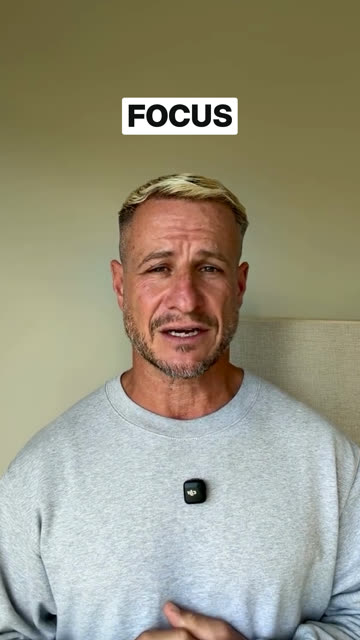
A punch-in with a clean two-line headline, the second line in a white box.
Workflow · /captions
The Captions workflow adds animated word-by-word captions to your video. Type /captions or ask your AI agent for karaoke, pop, boxed or minimal captions. SkilledCut transcribes the speech on your computer, cuts the pauses, places the captions away from your face and can add a hook title at the start.
In apps with slash commands:
/captionsIn Claude, Codex, Cursor or any AI agent, say:
Add karaoke captions to my latest videoType /captions where your AI agent has slash commands (Claude Code, for example), or say "Add karaoke captions to my latest video" in Claude, Codex, Cursor or any connected agent, and give it your video.
The finished video is saved in your Downloads folder, made on your computer.
Bold upper-case words; the spoken word turns yellow and pops.
The whole line shown dim; each word lights up as it is said.
The spoken word sits in a white box.
Small, clean sentence-case captions that fade in by phrase.
Anyone posting talking videos that people watch with the sound off, and editors who want captions on a video that is already finished.
A punch-in with a clean two-line headline, the second line in a white box.
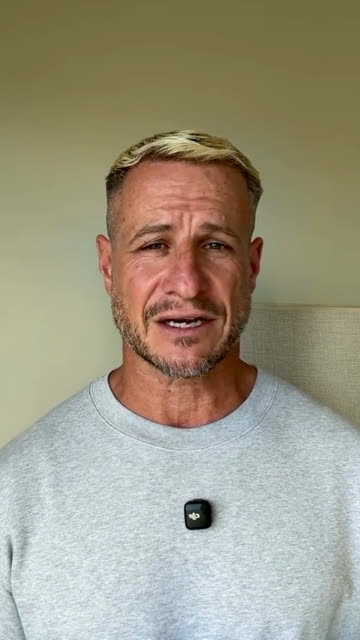
A fast punch-in on one word.
Templates: Explainer. Other workflows: Reel, Shorts, Voice-over, Clean cut, Rough cut for your editor, Merge. Every command is in the Guide.
Yes. Ask for captions on a finished video and SkilledCut leaves the video exactly as it is, adding only the captions (and a hook title if you want one). This works on a Template result too.
An optional big title on screen for the first 2.5 seconds, up to 60 characters, taken from what you say. Ask for it with the captions.
Tell your AI agent the names or brand words in the video and SkilledCut uses them when it transcribes, so the captions spell them your way.
More answers in the Guide →
One payment for every template, effect, voice and workflow, plus all upcoming templates. Pay once, use forever.