

Roundups2 min readUpdated
Best free video editors for beginners
Short answer
Free video editors for beginners include iMovie on Apple devices, DaVinci Resolve's free version, Shotcut and OpenShot. They teach real editing but take time to learn. Pay for more when manual editing eats your week. SkilledCut is paid-only, with no free plan or trial.
On this page
What do free editors offer?
Most free editors provide a timeline, trims, titles and exports. Some include colour tools and effects. The cost is your learning time and manual effort on each video.
Check each vendor's current terms, since free tiers change.
Which should you start with?
| Editor | Platform | Note |
|---|---|---|
| iMovie | Apple devices | Simple and free |
| DaVinci Resolve | Mac, Windows, Linux | Powerful, steeper curve |
| Shotcut | Mac, Windows, Linux | Open source |
| OpenShot | Mac, Windows, Linux | Open source, approachable |
When does paying make sense?
If you edit talking-head videos every week, compare your hours per video with the price of a tool. SkilledCut is not free: it is ₹999 once for the first 1,000 buyers (an AI agent is optional), with a 7-day refund. Try a Glass reel on your own clip to judge.
What do beginners get stuck on in a free editor?
Free editors are generous with tools, and beginners tend to hit the same three walls: cutting themselves out of the background, timing captions to the words, and building graphics that move. Those are the steps a template takes over. Big Word places a word behind your head with you cut out in front, Explainer times gold captions to your speech, and Float Ad cuts a product out of a photo and floats it in a swirl of light.
None of this makes a free editor a bad choice. It is a reason to look at the before and after on each template page before you decide whether the paid route is worth it for the videos you make every week.
Make it with your AI agent
Type "/big-word on my street-style clip" in Claude Code, Codex or Cursor with the clip attached: best free video editors for beginners, handled on your computer. Copy more in the prompt library or see the Big Word template.
Templates for this
Ask your AI agent for any of them by name. Every template is included with SkilledCut, plus all upcoming ones.
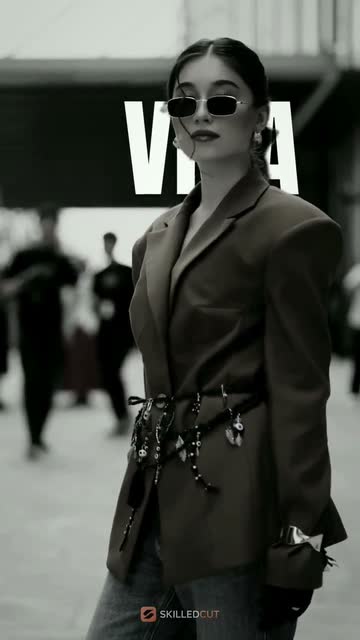 Big WordOne big keyword lands behind your head on every beat, in your own room, with tag chips flying in./big-wordSee it
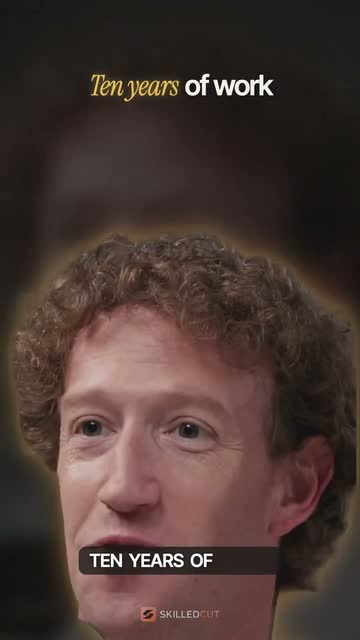 ExplainerTurns a talking clip into a clear lesson with gold word-by-word captions and points on screen./explainerSee it
 Float AdTurns a product photo into a hero ad: the product floats and turns in a swirl of light, no filming needed./float-adSee it
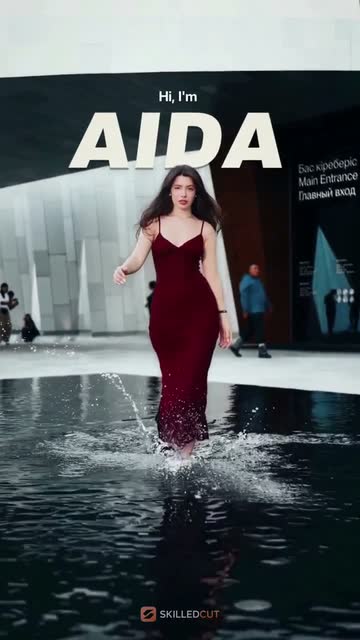 CobaltA bold blue keyword behind your head on every beat, with photo cards from your clip and a bright, clean grade./cobaltSee it
Frequently asked questions
Short answers to what people ask before they try it.
Is there a completely free editor?
Yes, such as open-source Shotcut and OpenShot. Check current terms.
Does SkilledCut have a free plan?
No. It is a single paid plan with no free plan or trial.
Which free editor looks most professional?
DaVinci Resolve is widely used in professional work.
Which is easiest?
A simple editor such as iMovie is gentler.
Keep reading
Blog
Best AI video editors for talking-head videos
Seven ways to edit a talking-head video with AI, from CapCut and Descript to Opus Clip and AI-directed editors, and who each one is best for.
ReadBlog
Best caption tools for short videos
What to look for in a caption tool: accuracy, styles, safe placement, editing and export, plus the main types of tool and their trade-offs.
ReadBlog
Filmora alternatives: editors with and without subscriptions
Options beyond Filmora, from free to professional to automated, with the trade-offs for creators who post short video.
ReadBlog
Best video editing apps for Mac in 2026
A practical guide to Mac video editors by job: free starters, professional timelines, social-first tools and automation for talking-head reels.
ReadBlog
Best AI tools for turning podcasts into clips
What to compare in a podcast-clipping tool: moment selection, reframing, captions, control and where the processing happens.
Read
More in the blog or all 16 templates.
Your next Reel is one prompt away.
One payment for every template, effect, voice and workflow, plus all upcoming templates. Pay once, use forever.