

Roundups2 min readUpdated
Best video editing apps for Mac in 2026
Short answer
The best Mac editor depends on your work. iMovie is a free starter, DaVinci Resolve offers deep colour and a free tier, Final Cut Pro is Apple's professional editor, Premiere Pro suits Adobe users and CapCut targets quick social posts. SkilledCut automates talking-head reels. Test on your own clip before buying.
On this page
How should you choose?
Ask four questions: what do you edit most, how much time do you have, do you collaborate and what is your budget. A complex project and a daily reel need different tools. Apple Silicon Macs run all of these tools efficiently.
Details as of November 2026. Check each vendor's site for current prices and features.
New to editing on a Mac? The step-by-step guide to editing video on a MacBook starts with the free built-in options.
What is each good for?
| App | Best for |
|---|---|
| iMovie | Free, simple edits on Apple devices |
| DaVinci Resolve | Colour grading, free version |
| Final Cut Pro | Professional Mac timeline |
| Premiere Pro | Teams in Adobe's ecosystem |
| CapCut | Quick social videos with templates |
| SkilledCut | Automating talking-head reels on your own computer |
What are SkilledCut's limits?
It is built for video of one person talking, and runs on your own Mac, Windows or Linux computer, plus photos for two templates. It is not a general timeline editor. It shines at repeating the same reel steps: cut, captions and a designed look, such as the Glass template. See our edit on a MacBook guide for tips.
What can SkilledCut make from photos, not only video?
Two templates start from stills. Float Ad takes one to six product photos and makes a floating hero ad. Lookbook takes three to twelve full-body outfit photos and makes a fashion lookbook with fabric swatches in each outfit's colours. Both cut the subject out with Apple's on-device vision tools, so they need macOS 14 or newer on top of Apple Silicon.
The video templates, from Layers to Throwback, still work on footage of one person talking. That split is the honest limit: a general timeline editor handles everything else.
Make it with your AI agent
Type "/float-ad on my product photo" in Claude Code, Codex or Cursor with the photo attached, and the ad renders on your Mac. Copy more in the prompt library or see the Float Ad template.
Templates for this
Ask your AI agent for any of them by name. Every template is included with SkilledCut, plus all upcoming ones.
 Float AdTurns a product photo into a hero ad: the product floats and turns in a swirl of light, no filming needed./float-adSee it
 LookbookTurns outfit photos into a fashion lookbook, each look in front of fabric swatches in its own colours./lookbookSee it
 GlassA premium 10-second reel: a glass ribbon behind you, frosted cards and glass scenes cut in./glassSee it
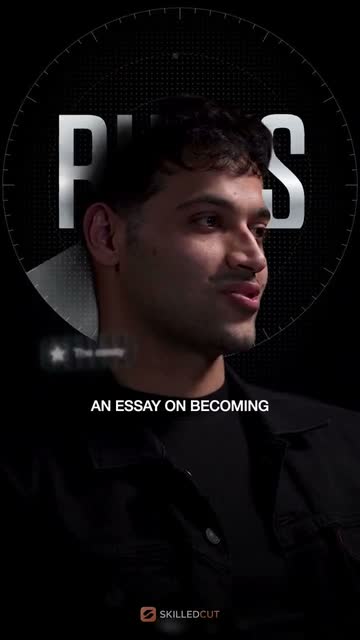 LayersA full motion-graphics edit from one plain clip: words behind your head, plates, charts and cards./layersSee it
Frequently asked questions
Short answers to what people ask before they try it.
Which editor is best for beginners?
iMovie or a template-driven tool is a gentle start.
Which has a free version?
iMovie is free with Apple devices, and DaVinci Resolve has a free version. Check current terms.
Do I need a MacBook Pro?
Not necessarily. Many creators edit on a MacBook Air.
Can I use more than one?
Yes. Many creators combine a timeline editor with automation.
Keep reading
Blog
iMovie alternatives for Mac creators
What to use when iMovie feels limited: pro timelines, free options and tools that automate talking-head edits. Honest notes on each.
ReadBlog
Best free video editors for beginners
Free tools to start editing without paying: what each offers, its limits and when to move to something paid or automated.
ReadBlog
Best caption tools for short videos
What to look for in a caption tool: accuracy, styles, safe placement, editing and export, plus the main types of tool and their trade-offs.
ReadGlossary
What is a punch-in in video editing?
A punch-in is a sudden zoom into a shot to stress a word or hide a jump cut. What it means, how far to zoom before it softens, and when to use one.
ReadBlog
Best AI video editors for talking-head videos
Seven ways to edit a talking-head video with AI, from CapCut and Descript to Opus Clip and AI-directed editors, and who each one is best for.
Read
More in the blog or all 16 templates.
Your next Reel is one prompt away.
One payment for every template, effect, voice and workflow, plus all upcoming templates. Pay once, use forever.