

4 min readUpdated
Instagram Reels caption styles: which one fits your video?
Short answer
The main Instagram Reels caption styles are pop, where each word jumps in as it is said; karaoke, where the spoken word lights up in a full line; boxed, with text on a solid block; and minimal, small clean subtitles. Choose by content: pop for energy, karaoke for teaching, boxed for busy backgrounds, minimal for calm or premium videos.
On this page
The four caption styles at a glance
Captions on a Reel are burned into the video, so the style is part of your look, not just an accessibility layer. The same sentence can feel urgent, friendly or expensive depending on how the words appear. Here is how the four common styles compare.
| Style | How it looks | Best for | Watch out for |
|---|---|---|---|
| Pop | Each word bounces in as you say it | Fast talkers, opinions, entertainment | Can feel busy on a calm topic |
| Karaoke | A full line shows, the spoken word lights up | Tutorials, lessons, step-by-step tips | Long lines; keep to a few words |
| Boxed | Words sit on a solid block of colour | Busy rooms, outdoor footage, bright light | Box covering too much of the frame |
| Minimal | Small, plain subtitles with no animation | Premium brands, interviews, calm topics | Too small to read on a phone |
Pop captions: for energy and opinions
Pop captions keep the eye moving, which suits hot takes, quick tips and anything where your delivery is the draw. Because each word arrives on its own, they also hide small timing gaps. The risk is fatigue: on a 60-second explanation, constant bouncing gets tiring.
A good pop style highlights only the key word in each phrase with colour or a block, not every word. The Bold template does exactly this: captions pop word by word with a highlight block on the key word, while giant words slam in behind your head.
Karaoke captions: for teaching
Karaoke captions show a short line and light up each word as you reach it. Viewers can read ahead, which helps when you are explaining steps or using a term they do not know yet. They are the natural choice for course clips, how-tos and educational Reels people save.
The Explainer template uses this idea with gold captions that follow every word you say, plus a title and key points on screen as you explain. If you just want the captions on an existing clip, ask for "Add karaoke captions to my latest video" through the captions workflow.
Boxed and minimal: for hard backgrounds and calm videos
Boxed captions solve one problem very well: readability over a messy frame. If you film outdoors, in a bright kitchen or in front of a patterned wall, white text alone disappears. A solid box behind the words fixes that without a heavy outline.
Minimal captions are the quiet option. Small, clean and static, they suit interviews, luxury products and any Reel where the visuals should carry the mood. Make them large enough to read at arm's length on a phone; minimal should mean simple, not tiny.
Caption looks built into templates
Some templates have their own caption look that you cannot get from a plain caption style, because the text is part of the design.
- Notebook: your words type on in big black type on a cream page, with a serif accent word, marker highlights and hand-drawn circles. It reads like an editorial explainer.
- Throwback: tall condensed golden headlines and small-caps captions over retro poster backdrops.
- Wine: your words pop into a frosted glass phone card behind your head as you say them.
- Bold and Explainer: the pop-with-highlight and gold karaoke looks described above.
You can still add one of the four caption styles on top of a finished template if you want both, since the captions workflow works on template output.
How to choose in four questions
Readable captions follow the same rules in every style: two lines at most, high contrast, placed in the lower third above Instagram's caption strip, and never over your mouth. Our guide to the Instagram Reels safe zone shows where that is. Proofread names, brands and numbers, because speech recognition gets those wrong most often.
- Is the background busy? If yes, start with boxed.
- Are you teaching steps or terms? If yes, karaoke.
- Is the tone fast, funny or opinionated? If yes, pop.
- Is it a calm, premium or interview piece? If yes, minimal or a template like Notebook.
- Whatever you pick, keep it for a whole series so your Reels are recognisable in the feed.
Prompts to try
These work in Claude Code, the Code tab of Claude Desktop, Codex, Cursor and other agents. In a terminal with no agent, skilledcut captions clip.mp4 gives you the default style.
"Add pop captions to my latest video and highlight only the key word in each line." "Add boxed captions to this clip; the background is busy." "/explainer on my lesson recording." You will find more caption and fix-it prompts on the prompts page.
Templates for this
Ask your AI agent for any of them by name. Every template is included with SkilledCut, plus all upcoming ones.
 ExplainerTurns a talking clip into a clear lesson with gold word-by-word captions and points on screen./explainerSee it
 BoldA 10-second reel where giant words slam in behind you and captions pop word by word./boldSee it
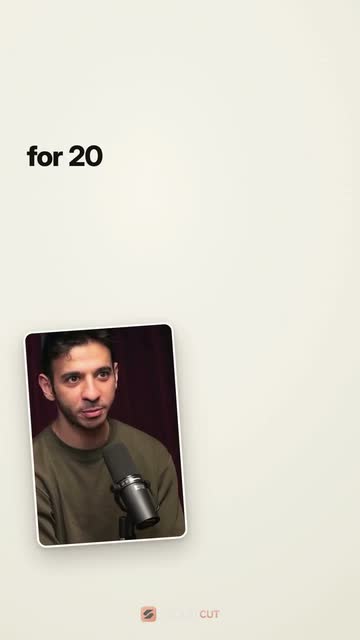 NotebookAn editorial page: you play in a photo card that glides around the page while your words type on in big black type./notebookSee it
Frequently asked questions
Short answers to what people ask before they try it.
Which caption style is best for Instagram Reels?
There is no single best style. Pop suits energetic opinions, karaoke suits teaching, boxed suits busy backgrounds and minimal suits calm or premium videos. Consistency across a series matters more than the choice.
Should I use Instagram's own auto captions or burn them in?
Burned-in captions look the same on every phone and keep your style, and they still show on TikTok and Shorts if you cross-post. App captions can be turned off by the viewer.
Can I mix caption styles in one Reel?
It is better not to. One style per video, and ideally per series, keeps it easy to read and recognisable.
How many words should a caption line have?
Keep each line to about three to five words and never more than two lines on screen. Short chunks are easier to read while the viewer also watches your face.
Keep reading
Use cases
Word-by-word captions for talking-head videos
Add captions that follow every word you say. How burned-in word-by-word captions work, caption design tips and which template to pick.
ReadShort-form growth
How captions keep viewers watching
Why captions matter for short video: sound-off viewing, clarity and accessibility. Style rules for contrast, size, timing and emphasis.
ReadBlog
The Instagram Reels safe zone: where text and faces belong
Where Instagram's buttons and caption cover your Reel, how to keep text, faces and graphics clear of them, and how to check a 9:16 video before posting.
ReadBlog
Best caption tools for short videos
What to look for in a caption tool: accuracy, styles, safe placement, editing and export, plus the main types of tool and their trade-offs.
ReadSocial media
Social media accessibility checklist for video
A checklist for accessible social video: captions, contrast, audio clarity, alt text, flashing and transcripts. Quick steps to reach more viewers.
Read
More in the blog or all 16 templates.
Your next Reel is one prompt away.
One payment for every template, effect, voice and workflow, plus all upcoming templates. Pay once, use forever.