

Templates in depth2 min readUpdated
How to make a retro poster video from a talking clip
Short answer
Ask your AI agent for the Throwback template on a talking clip. You are cut out over flat retro backdrops that change every phrase, such as royal blue, forest green, stripes and a checkerboard, with tall golden serif headlines taken from your own words and a full poster card every few phrases. It suits strong opinions.
On this page
What is the retro poster look?
Throwback borrows from vintage film and concert posters. The background is a flat, saturated colour or a bold pattern: royal blue, forest green, signal red, cream, a red glow, diagonal stripes, a checkerboard or concentric rings. It changes on every phrase, so the video keeps moving without cutting away from you. Every few phrases the speaker steps aside and a full poster card fills the screen with one word.
The headlines are tall, condensed golden serif, and the captions are small caps under you.
Where do the headlines come from?
They come from your own words. The template picks the strongest word of each phrase as the headline, adds the first few words of the phrase as a small lead line, and shows the spoken line in small caps beneath you. Nothing is invented, so a headline is always something you actually said.
What kind of clip suits it?
- A strong opinion or a clear claim, where each phrase can carry a single big word.
- A single person in frame, because you are cut out of the background.
- Short clips of 15 to 30 seconds, where the changing backdrops stay fresh.
- Content with attitude: a take, a rant, a recommendation.
How is it different from the other motion templates?
Layers puts graphics behind a person in their own room, and Bold puts one giant word behind you. Throwback replaces the room completely with a poster world and treats the speech as headlines. That makes it the most stylised template of the three, and the least suited to a calm explanation.
How do you ask for it?
Drag in the clip and ask: "/throwback on my latest video. 17 seconds of a podcast talk, me cut out over retro poster backdrops, tall gold headlines from my own words." It runs from Claude, Codex, Cursor and other AI agents, renders on your computer and saves the vertical video to Downloads.
Make it with your AI agent
Type "/throwback on my podcast clip" in Claude Code, Codex or Cursor with the clip attached: retro video style, handled on your computer. Copy more in the prompt library or see the Throwback template.
Templates for this
Ask your AI agent for any of them by name. Every template is included with SkilledCut, plus all upcoming ones.
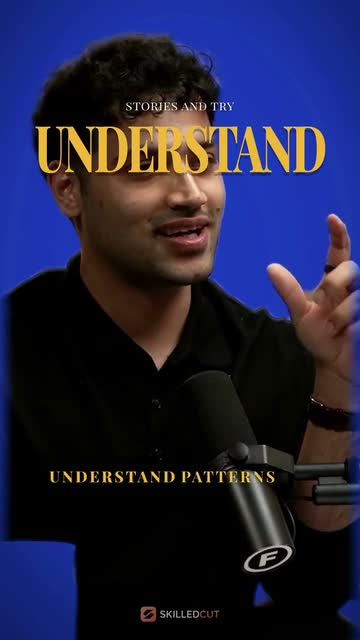 ThrowbackYou cut out over bold retro posters that change on every line, with tall vintage headlines from your own words./throwbackSee it
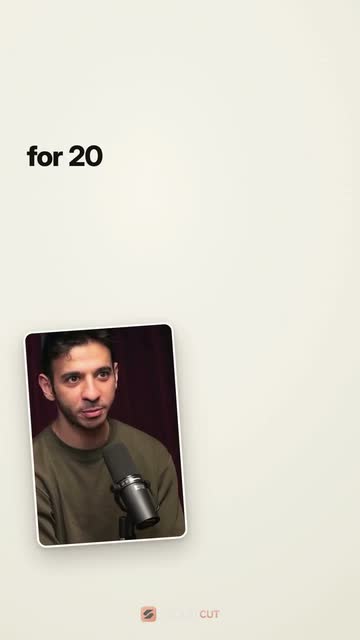 NotebookAn editorial page: you play in a photo card that glides around the page while your words type on in big black type./notebookSee it
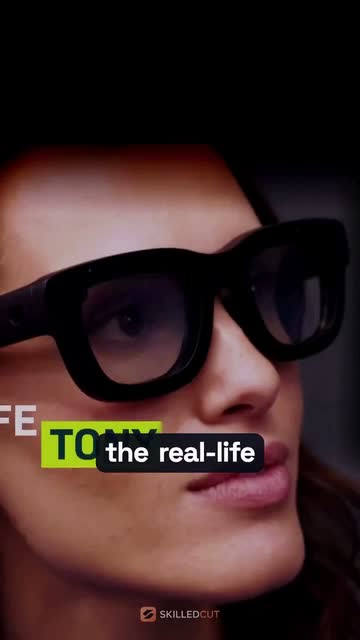 BoldA 10-second reel where giant words slam in behind you and captions pop word by word./boldSee it
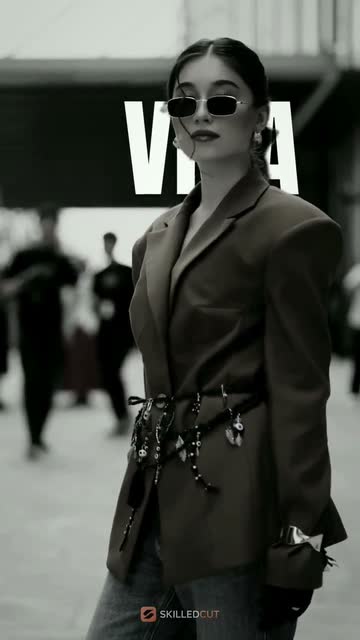 Big WordOne big keyword lands behind your head on every beat, in your own room, with tag chips flying in./big-wordSee it
Frequently asked questions
Short answers to what people ask before they try it.
Does Throwback change the colours every phrase?
The backdrop changes on every phrase, cycling through flat colours and patterns, so the video keeps moving.
Can I choose the headline words?
The template picks the strongest word of each phrase from your speech. You can ask your AI agent to change a word, but it never invents text you did not say.
Do I need a green screen?
No. You are cut out of your own background, so any plain room works.
Is it good for lessons?
It suits opinions and punchy takes better than step-by-step lessons. For lessons, try Explainer.
How long does it take to render?
A short clip takes a few minutes on a recent computer, because the speech is transcribed and the speaker cut out first.
Keep reading
Short-form growth
How to use on-screen text in short videos
On-screen text should add, not repeat. Learn where to place it, how large to make it, how long to hold it and when captions and titles do different jobs.
ReadHow-to guides
How to keep a consistent brand across videos
Consistency comes from repeated choices: look, voice, structure and sound. A brand checklist, and how one editing template keeps every video matching.
ReadBlog
How to turn an interview clip into an editorial explainer video
Make a podcast or interview answer look like a magazine page: the Notebook template types your words on paper while you play in a small photo card.
ReadUse cases
How to make a 10-second hook reel
Write and edit a 10-second reel that stops the scroll. A 25-word script formula and how Bold and Glass style it with your AI agent.
ReadBlog
SkilledCut's {{count}} templates compared: which one for which video
Wine, Plum, Amber, Cobalt, Big Word, Notebook, Throwback, Float Ad, Lookbook and more: what each template does and which video it suits.
Read
More in the blog or all 16 templates.
Your next Reel is one prompt away.
One payment for every template, effect, voice and workflow, plus all upcoming templates. Pay once, use forever.