

Text
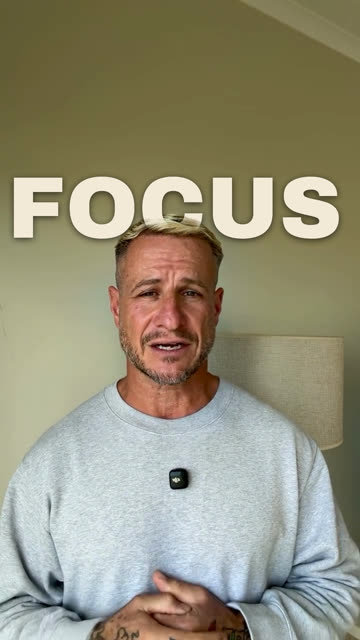
A giant word drops in behind you.
Workflow · /reel
The Reel workflow turns a raw talking-head clip into a finished vertical reel. Ask your AI agent to make a reel from your latest video (or type /reel where your app supports it). SkilledCut cuts the pauses, plans a visual change every few seconds, adds word-by-word captions and renders the result on your computer.
In apps with slash commands:
/reelIn Claude, Codex, Cursor or any AI agent, say:
Make a reel from my latest videoType /reel where your AI agent has slash commands (Claude Code, for example), or say "Make a reel from my latest video" in Claude, Codex, Cursor or any connected agent, and give it your video.
The finished video is saved in your Downloads folder, made on your computer.
Solo creators, coaches and experts who film themselves talking and want a reel with captions and pattern breaks without editing by hand.
A giant word drops in behind you.
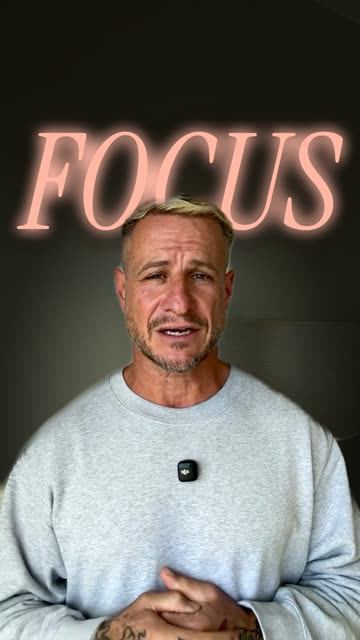
The room goes dark, you stay lit, a glowing word sits behind you.
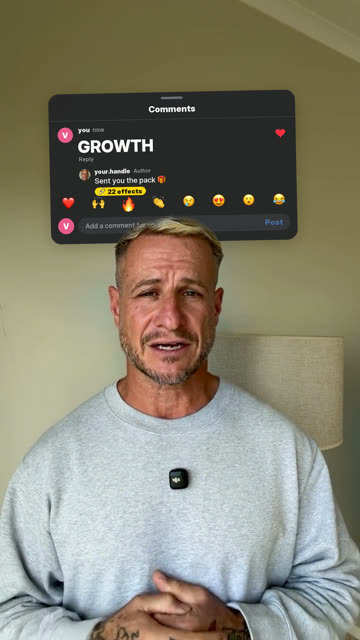
An Instagram comment bar types a word and posts it.
Templates: Bold, Glass. Other workflows: Captions, Shorts, Voice-over, Clean cut, Rough cut for your editor, Merge. Every command is in the Guide.
Yes. SkilledCut plans first: the cut, the transcript and suggested effects with their times. Your AI agent shows you the plan, you change any effect or word, and only then does the reel render.
Yes. Name any of the 50+ effects and when they should appear, and pick pop, karaoke, boxed or minimal captions, or none. Without instructions the reel uses pop captions and effects SkilledCut suggests.
No. Cutting, captions and effects run on your computer. The finished MP4 is saved in your Downloads folder with a short quality report.
More answers in the Guide →
One payment for every template, effect, voice and workflow, plus all upcoming templates. Pay once, use forever.