

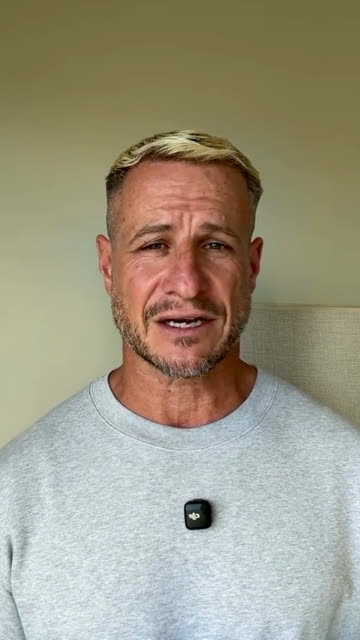
Camera
A fast punch-in on one word.
Workflow · /shorts
The Shorts workflow cuts a long video or podcast into vertical clips. Type /shorts or ask your AI agent for three Shorts from your long video. SkilledCut suggests the strongest 15 to 45 second moments, you confirm them, and each clip is reframed to 9:16 around the speaker with captions and a hook title.
In apps with slash commands:
/shortsIn Claude, Codex, Cursor or any AI agent, say:
Make 3 Shorts from my long videoType /shorts where your AI agent has slash commands (Claude Code, for example), or say "Make 3 Shorts from my long video" in Claude, Codex, Cursor or any connected agent, and give it your video.
The finished video is saved in your Downloads folder, made on your computer.
Podcasters, YouTubers and anyone with long recordings who wants vertical clips for Reels, Shorts or TikTok without reframing each one by hand.
A fast punch-in on one word.
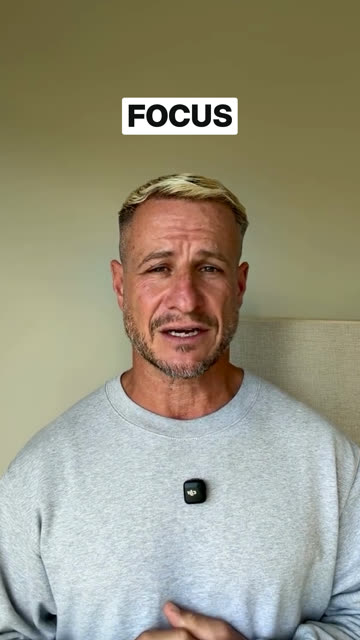
A punch-in with a clean two-line headline, the second line in a white box.
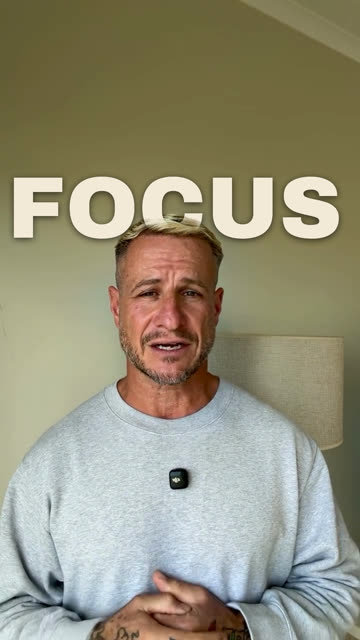
A giant word drops in behind you.
Templates: Bold. Other workflows: Reel, Captions, Voice-over, Clean cut, Rough cut for your editor, Merge. Every command is in the Guide.
Yes. SkilledCut suggests moments of 15 to 45 seconds and you pick from them before anything renders. You can also give your own start and end times.
Yes. Landscape footage is reframed to 9:16 by following the speaker's face, so you stay in the frame.
Yes. Each clip gets word-by-word captions and a hook title. Say if you want a different caption style.
More answers in the Guide →
One payment for every template, effect, voice and workflow, plus all upcoming templates. Pay once, use forever.